
Manage Workspaces
A workspace is an isolated environment that organizes the resources for a plant, facility, department, or project. Each workspace maintains its own devices, variables, assets, dashboards, alerts, reports, and users.
Access Workspace Management
Section titled “Access Workspace Management”To manage workspaces:
- Sign in as an Organization Administrator.
- From the top-right corner, click Manage Organization.
- Select Manage Workspaces.
The Manage Workspaces page lists all workspaces in your organization along with their status and configuration.
Create a Workspace
Section titled “Create a Workspace”To create a new workspace:
- Open Manage Organization → Manage Workspaces.
- Click New Workspace.
- Enter the required workspace details.
- Click Save.
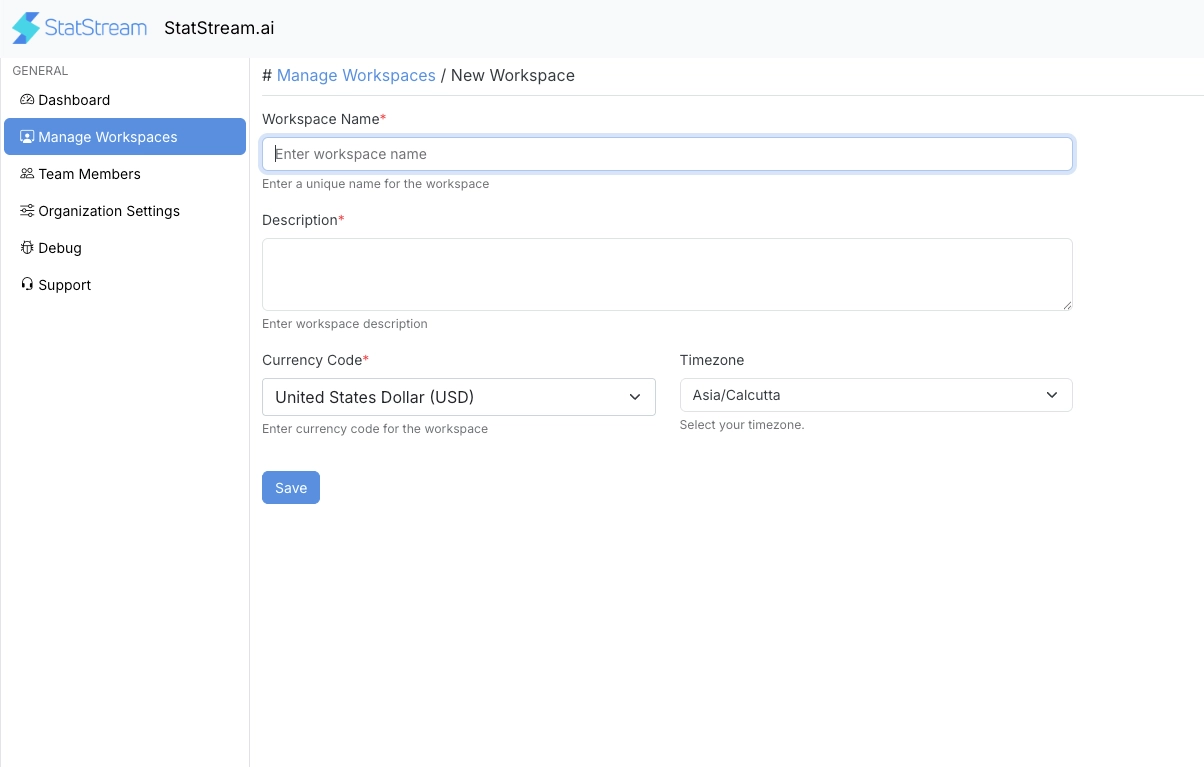
Workspace Details
Section titled “Workspace Details”| Field | Description |
|---|---|
| Workspace Name | A unique and descriptive name, such as Head Office, Manufacturing Plant, or Warehouse. |
| Description | A brief summary of the workspace’s purpose. |
| Currency | Defines the default currency used for calculations and values throughout the workspace. |
| Time Zone | Defines the local time used for events, alerts, historical data, and scheduled operations. |
Manage Existing Workspaces
Section titled “Manage Existing Workspaces”The Manage Workspaces page displays all workspaces with the following information:
| Field | Description |
|---|---|
| Name | Workspace name. |
| Description | Purpose of the workspace. |
| Active | Indicates whether the workspace is enabled. |
| Allow Manage Users | Allows workspace administrators to manage users within the workspace. |
| Time Zone | Configured timezone. |
| Currency | Configured currency. |
| Actions | Edit the workspace configuration. |
Edit a Workspace
Section titled “Edit a Workspace”Click Edit next to a workspace to update its configuration.
You can modify:
- Workspace Name
- Description
- Currency
- Time Zone
Enable or Disable a Workspace
Section titled “Enable or Disable a Workspace”Use the Active toggle to enable or disable a workspace.
Disabling a workspace prevents normal operations while preserving its existing configuration and historical data.
Allow Workspace User Management
Section titled “Allow Workspace User Management”Enable Allow Manage Users to allow workspace administrators to manage users within that workspace.
When enabled, workspace administrators can:
- Add users
- Remove users
- Assign workspace roles
- Update user permissions
If disabled, user management remains restricted to Organization Administrators.
Best Practices
Section titled “Best Practices”- Create separate workspaces for each plant, facility, or customer.
- Use clear and descriptive workspace names.
- Configure the correct timezone before connecting devices.
- Select the appropriate currency before operational data is collected.
- Enable Allow Manage Users only when workspace administrators need to manage users independently.