
Credentials
Credentials provide the authentication information required for devices to communicate securely with StatStream. A credential is associated with a communication protocol and is used when connecting a device through HTTP or MQTT.
Managing Credentials
Section titled “Managing Credentials”To create or manage credentials:
- Go to Admin → Credentials.
- The Credentials page displays all credentials available in the current workspace.
- Click New Credential.
Create a Credential
Section titled “Create a Credential”When creating a credential, configure the following fields:
| Field | Description |
|---|---|
| Credential Name | A descriptive name used to identify the credential. |
| Protocol | Select the communication protocol (HTTP or MQTT) that the credential will be used with. |
After entering the required information, click Save.
HTTP Credentials
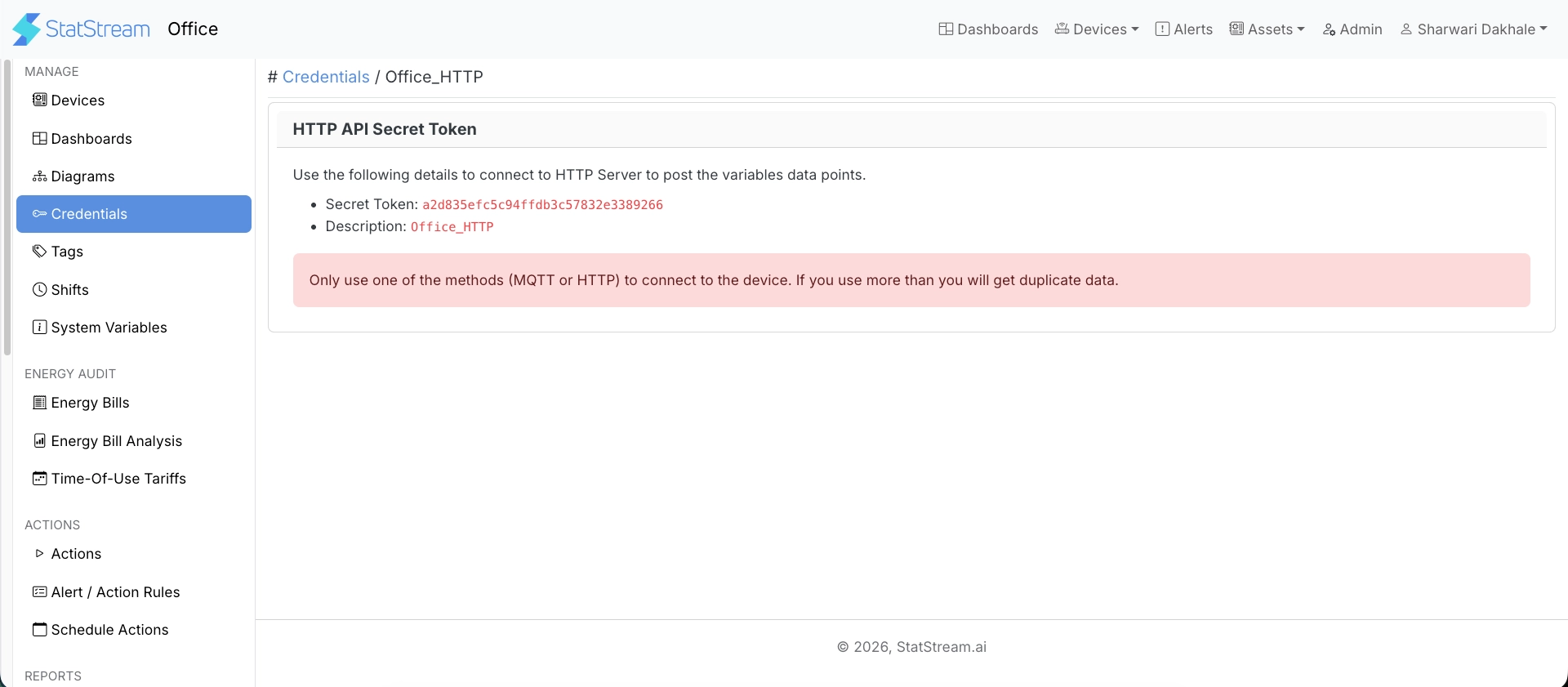
Section titled “HTTP Credentials”When an HTTP credential is created, StatStream generates a unique Secret Token.
The Secret Token is used to authenticate HTTP requests sent by a device and forms part of the HTTP endpoint used for data ingestion.
MQTT Credentials
Section titled “MQTT Credentials”When an MQTT credential is created, StatStream generates the connection details required to authenticate with the MQTT broker.
The generated credentials include:
- Broker Hostname
- Port
- Username
- Password
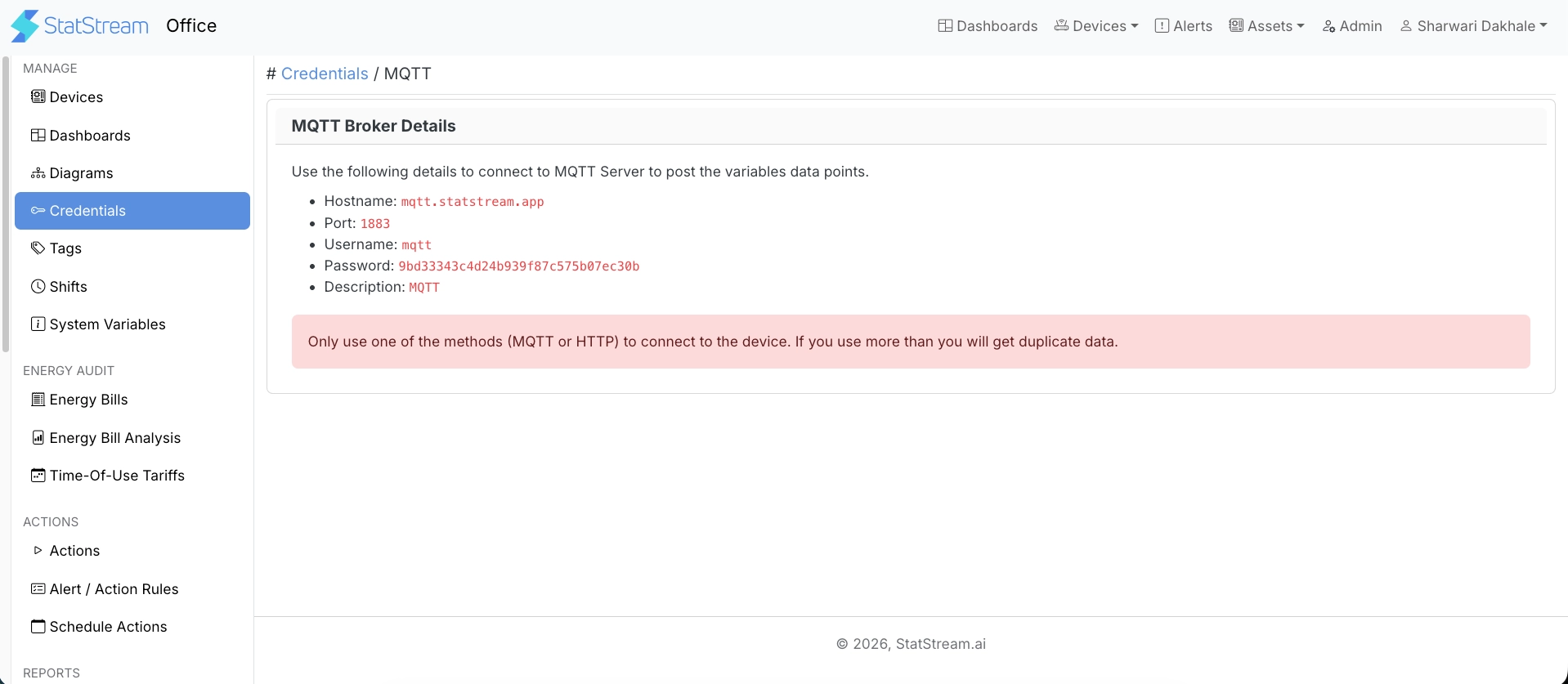
Use these values to configure your MQTT client before publishing device data.
Next Steps
Section titled “Next Steps”After creating the required credential:
- Connect your device using HTTP or MQTT. See Connecting a Device.
- Configure your device to begin sending data to StatStream.