
Aggregation Actions
Aggregation Actions compute a derived value — such as a sum, average, minimum, or maximum — from one or more tagged variables, and save the result as a new or existing variable. Use these to roll up raw data-points into shift totals, daily summaries, or Time-of-Use (TOU) figures.
Aggregation Actions can be associated with Alert / Action Rules or Schedule Actions, or attached directly to a shift, so the aggregation runs automatically without manual calculation.
Available Aggregation Actions
Section titled “Available Aggregation Actions”StatStream supports the following aggregation types:
| Aggregation Action | Description |
|---|---|
| Combined Aggregation | Aggregates tagged variables over a custom hours/days window into a single target variable. |
| Discrete Aggregation | Aggregates tagged variables over a custom hours/days window, creating a new variable for the result. |
| Shift-Combined Aggregation | Aggregates tagged variables over a shift period. |
| Shift-Discrete Aggregation | Aggregates tagged variables over a shift period, writing each result to a separate variable. |
| Shift-TOU Discrete | Runs a discrete-style aggregation aligned to Time-of-Use periods. |
| Shift-TOU Combined | Runs a combined-style aggregation aligned to Time-of-Use periods. |
Each aggregation action has its own configuration fields, detailed below.
Combined Aggregation
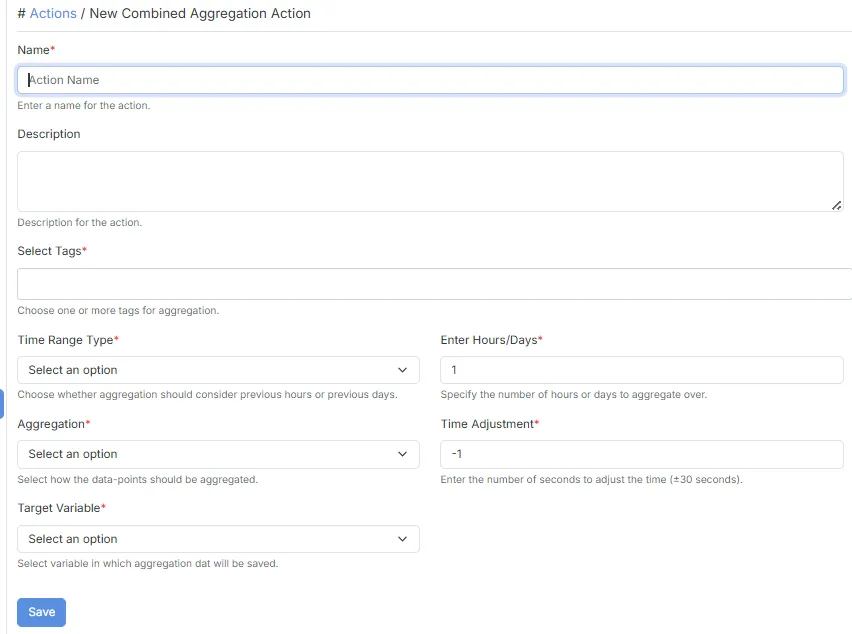
Section titled “Combined Aggregation”The Combined Aggregation action aggregates one or more tagged variables over a custom time window (hours or days) and writes the result into a single, existing variable.
Configuration
Section titled “Configuration”| Field | Description |
|---|---|
| Name | Specifies the name of the action. |
| Description | Provides a brief description of the action. |
| Select Tags | Choose one or more tags for aggregation. |
| Time Range Type | Choose whether the aggregation should consider previous hours or previous days. |
| Enter Hours/Days | Specifies the number of hours or days to aggregate over. |
| Aggregation | Select how the data-points should be aggregated (e.g., Sum, Average, Min, Max, Count). |
| Time Adjustment | The number of seconds to adjust the time by (±30 seconds). |
| Target Variable | Select the existing variable in which the aggregated result will be saved. |
Discrete Aggregation
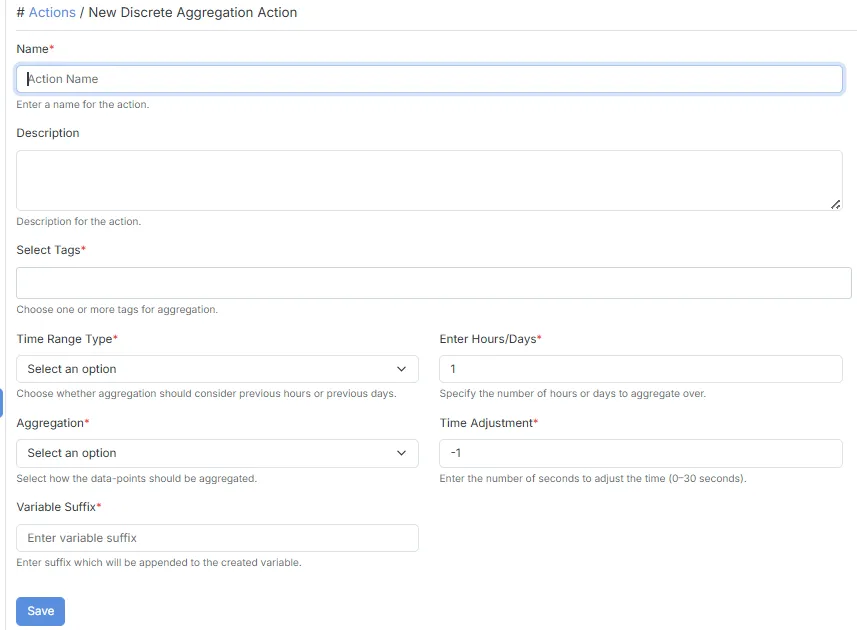
Section titled “Discrete Aggregation”The Discrete Aggregation action aggregates one or more tagged variables over a custom time window (hours or days), creating a new variable to hold the result.
Configuration
Section titled “Configuration”| Field | Description |
|---|---|
| Name | Specifies the name of the action. |
| Description | Provides a brief description of the action. |
| Select Tags | Choose one or more tags for aggregation. |
| Time Range Type | Choose whether the aggregation should consider previous hours or previous days. |
| Enter Hours/Days | Specifies the number of hours or days to aggregate over. |
| Aggregation | Select how the data-points should be aggregated (e.g., Sum, Average, Min, Max, Count). |
| Time Adjustment | The number of seconds to adjust the time by (0–30 seconds). |
| Variable Suffix | Suffix appended to the variable created to store the result. |
- Unlike Combined Aggregation, Discrete Aggregation creates a new variable rather than saving into an existing one.
Shift-Combined Aggregation
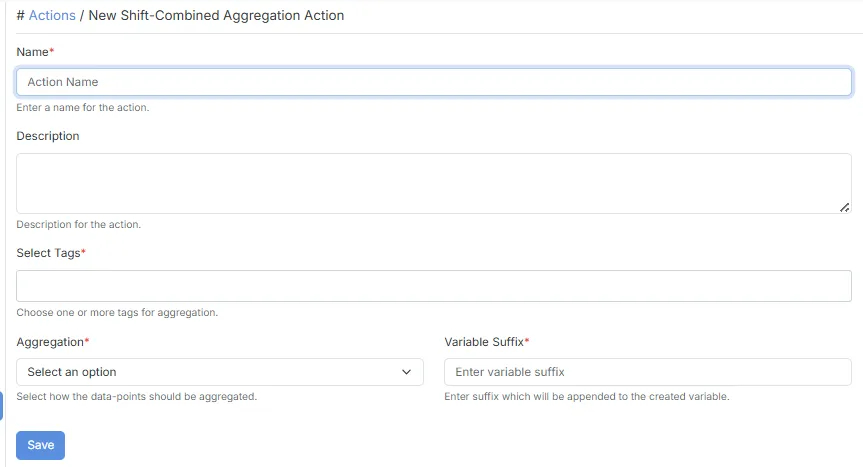
Section titled “Shift-Combined Aggregation”The Shift-Combined Aggregation action aggregates one or more tagged variables over a shift period rather than a fixed hours/days window.
Configuration
Section titled “Configuration”| Field | Description |
|---|---|
| Name | Specifies the name of the action. |
| Description | Provides a brief description of the action. |
| Select Tags | Choose one or more tags for aggregation. |
| Aggregation | Select how the data-points should be aggregated. |
| Variable Suffix | Suffix appended to the variable created to store the result. |
- This action must be attached to one or more shifts to run.
Shift-Discrete Aggregation
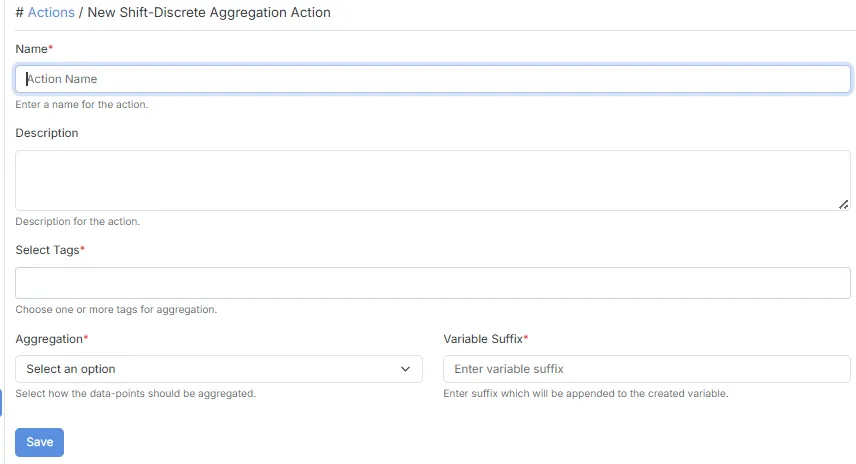
Section titled “Shift-Discrete Aggregation”The Shift-Discrete Aggregation action aggregates one or more tagged variables over a shift period, writing each result to a separate aggregated variable.
Configuration
Section titled “Configuration”| Field | Description |
|---|---|
| Name | Specifies the name of the action. |
| Description | Provides a brief description of the action. |
| Select Tags | Choose one or more tags for aggregation. |
| Aggregation | Select how the data-points should be aggregated. |
| Variable Suffix | Suffix appended to the variable created to store each result. |
How it Works
Section titled “How it Works”- Select one or more tags to identify the variables to aggregate.
- Choose an aggregation function.
- Provide a variable suffix.
- Attach the action to one or more shifts.
- At the end of each shift, StatStream computes the aggregation.
- Each result is written to a separate aggregated variable.
Shift-TOU Discrete
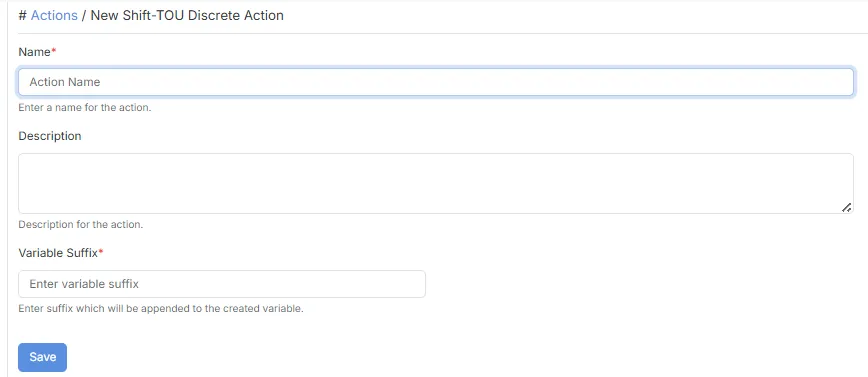
Section titled “Shift-TOU Discrete”The Shift-TOU Discrete action runs at shift end, producing a discrete-style aggregation result.
Configuration
Section titled “Configuration”| Field | Description |
|---|---|
| Name | Specifies the name of the action. |
| Description | Provides a brief description of the action. |
| Variable Suffix | Suffix appended to the variable created to store the result. |
- Configuration is based on the configured Time-of-Use tariff settings.
Shift-TOU Combined
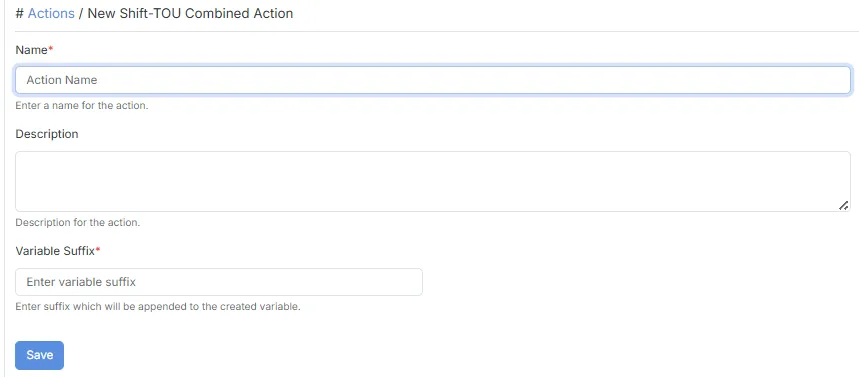
Section titled “Shift-TOU Combined”The Shift-TOU Combined action runs at shift end, producing a combined-style aggregation result.
Configuration
Section titled “Configuration”| Field | Description |
|---|---|
| Name | Specifies the name of the action. |
| Description | Provides a brief description of the action. |
| Variable Suffix | Suffix appended to the variable created to store the result. |
- Configuration is based on the configured Time-of-Use tariff settings.
Typical Use Cases
Section titled “Typical Use Cases”Aggregation Actions can be used to:
- Compute shift-wise production counts, energy consumption, or quality metrics.
- Roll up hourly or daily totals for reporting.
- Feed Time-of-Use tariff calculations with aggregated energy data.
- Create derived variables for use in dashboards, reports, or further alert rules.