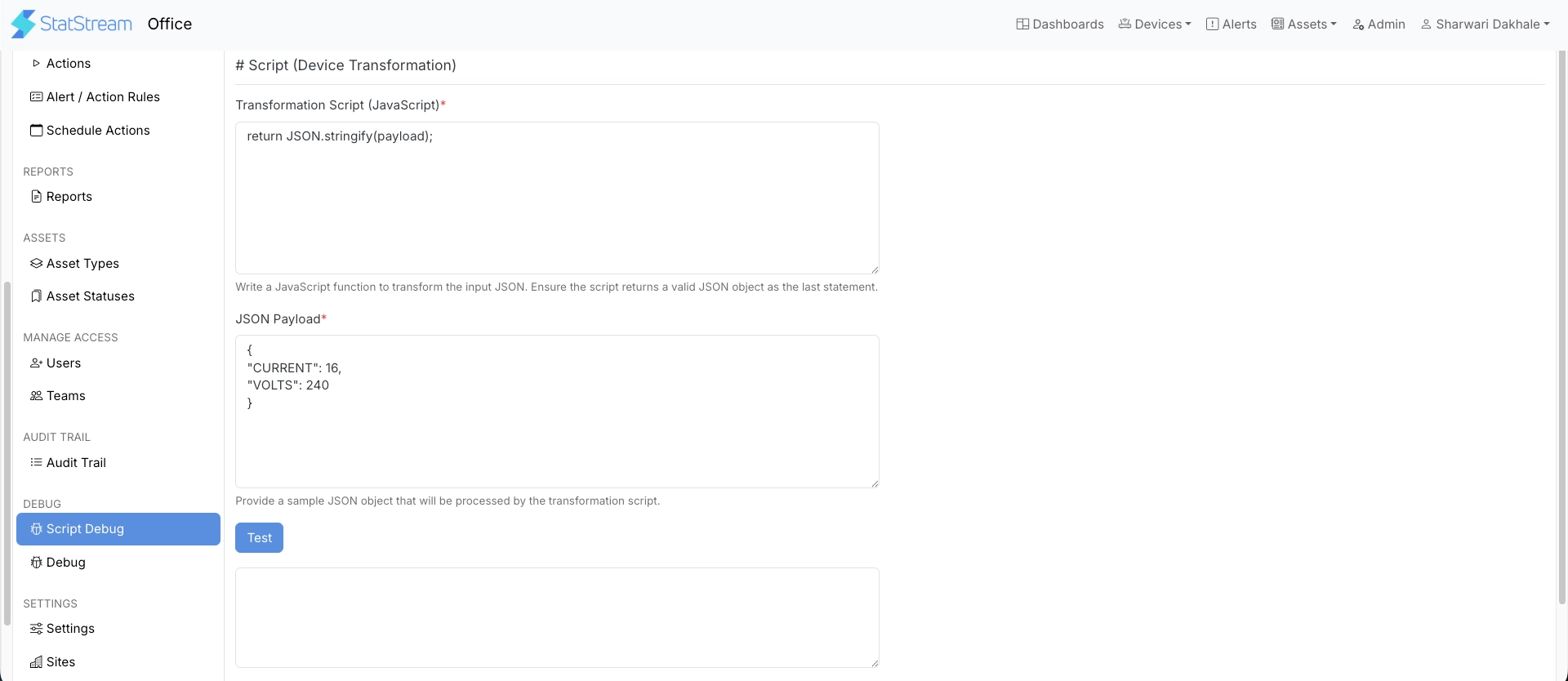
Script Debug
Device transformation scripts are used to convert incoming device payloads into a format recognized by StatStream. Script Debug provides a safe environment to test scripts with sample payloads, verify the output, and detect errors before they are applied to live device data.
Testing a Script
Section titled “Testing a Script”Go to Admin → Script Debug.
To test a transformation script:
- Enter your script in Transformation Script (JavaScript). The script must return a valid JSON object as its final statement.
- Enter a sample payload in JSON Payload to run through the script.
- Click Test.
- Review the transformed output and verify that it matches the expected format.
- Update the script as needed and repeat the test until the output is correct.