
Asset Actions
Asset Actions update the status of an asset — for example, marking a machine as Faulty or Under Maintenance — and record a description explaining why the change happened. Use these to keep asset status in sync with real-world conditions automatically, instead of updating it manually.
Asset Actions can be associated with Alert / Action Rules or Schedule Actions, so an asset’s status changes automatically when the conditions you define are met.
Available Asset Actions
Section titled “Available Asset Actions”StatStream supports the following asset-related actions:
| Asset Action | Description |
|---|---|
| Asset Action | Updates the status of a selected asset and records the reason for the status change. |
| Work Order By Asset | Creates and manages work orders associated with a selected asset. |
Each asset action has its own configuration fields, detailed below.
Asset Action
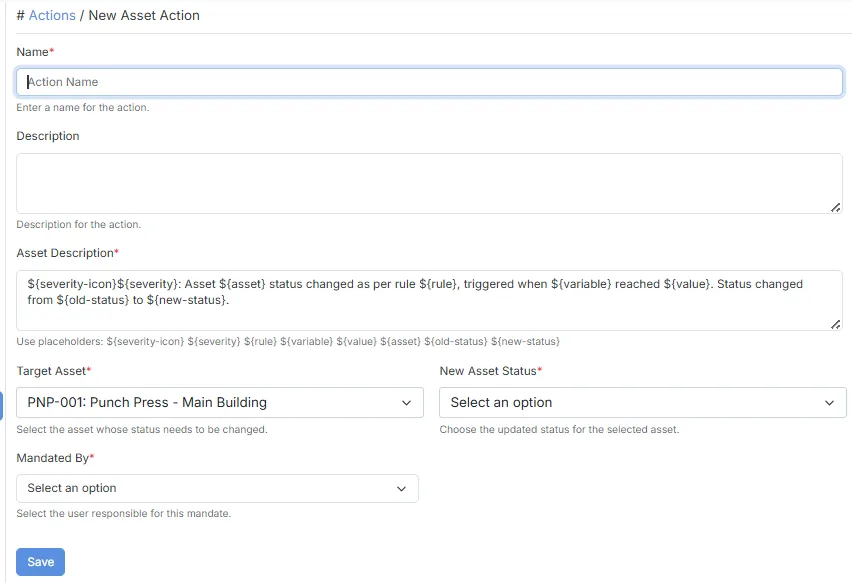
Section titled “Asset Action”The Asset Action updates the status of a selected asset and records the reason for the change.
Configuration
Section titled “Configuration”| Field | Description |
|---|---|
| Name | Specifies the name of the action. |
| Description | Provides a brief description of the action. |
| Asset Description | The message describing why the asset’s status changed. Supports placeholders such as ${severity-icon}, ${severity}, ${rule}, ${variable}, ${value}, ${asset}, ${old-status}, and ${new-status}. |
| Target Asset | The asset whose status will be updated. |
| New Asset Status | The new status to apply to the selected asset. |
| Mandated By | The user responsible for this status change. |
- The Asset Description field is pre-filled with a default template containing all supported placeholders.
- You can customize the description to suit your organization’s requirements.
- New Asset Status values are populated from your configured Asset Statuses.
Work Order By Asset
Section titled “Work Order By Asset”The Work Order By Asset feature allows users to create and manage work orders associated with a selected asset, helping maintenance teams track and resolve issues efficiently.
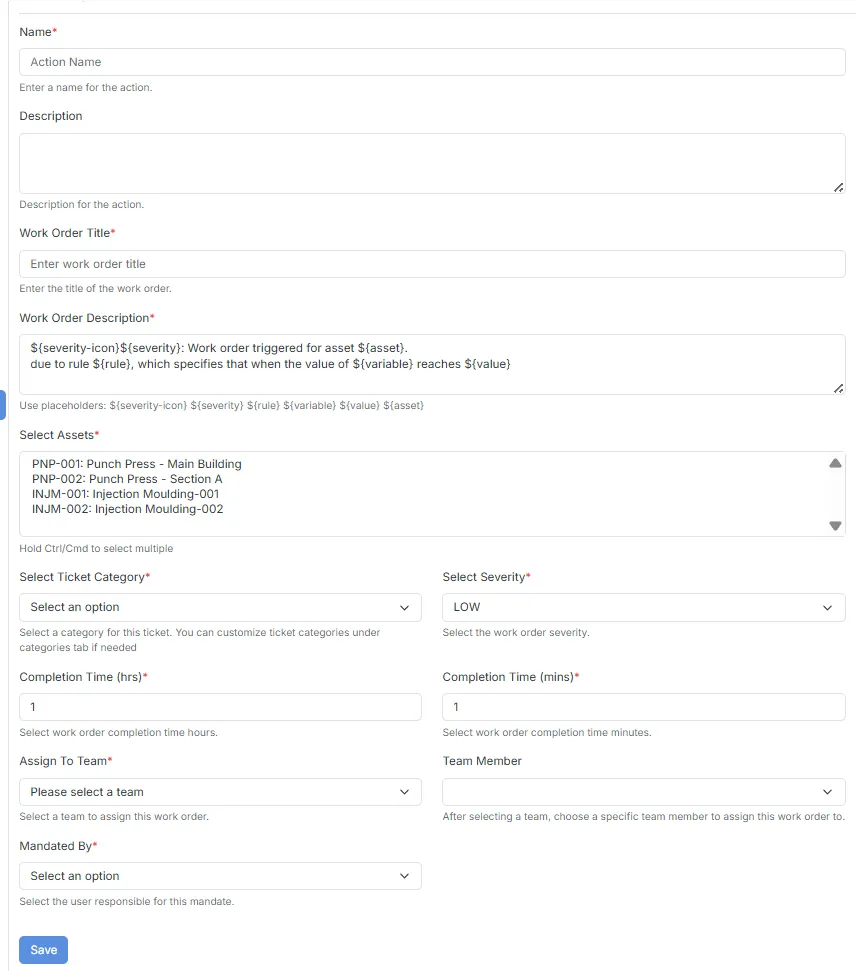
- Work orders are linked directly to the selected asset.
- Useful for maintenance planning and issue tracking.
- Can be used alongside Asset Actions to automate maintenance workflows.
Typical Use Cases
Section titled “Typical Use Cases”Asset Actions can be used to:
- Automatically mark equipment as Faulty or Under Maintenance when an alert condition is triggered.
- Update asset status on a scheduled basis.
- Record who or what mandated a status change for audit purposes.
- Keep asset dashboards synchronized with real-time operational conditions.
- Automatically initiate maintenance workflows for affected assets.