
Manage Devices
Devices represent the physical equipment that sends data to StatStream, such as energy meters, sensors, PLCs, or IoT gateways. Each device contains the variables used to collect and store its data.
Create a Device
Section titled “Create a Device”To create a device:
- Go to Admin → Devices.
- Click New Device.
- Enter the required information.
- Click Save.
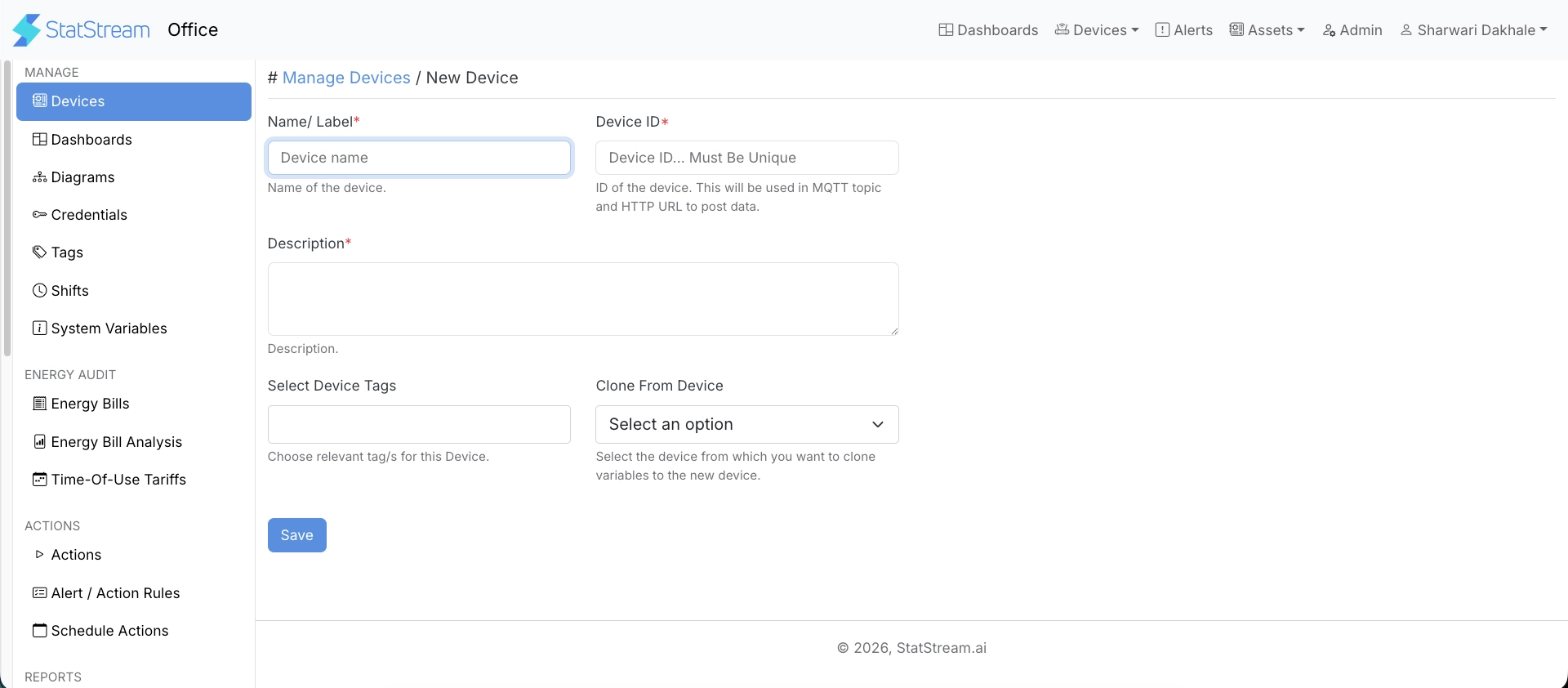
Provide the following information when creating a device:
| Field | Description |
|---|---|
| Name / Label | A descriptive name used throughout the application. |
| Device ID | A unique identifier used when sending data to the device through MQTT or HTTP. The Device ID must be unique. |
| Description | An optional description to help identify the device. |
| Device Tags | Assign tags to organize and filter devices. |
| Clone From Device | Optionally create a new device by copying the variables from an existing device. |
Transformation
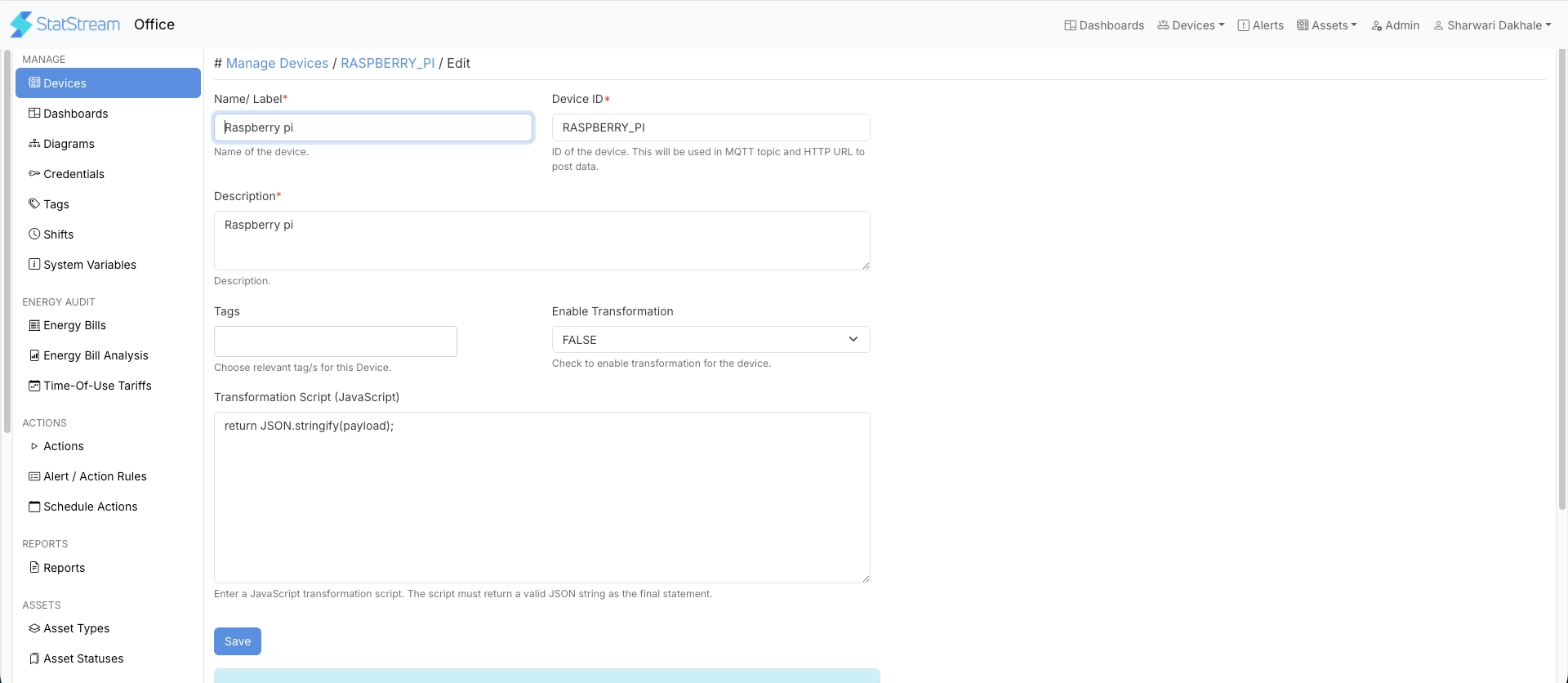
Section titled “Transformation”Once a device is created, you can configure a transformation script to process incoming data before it’s stored:
| Field | Description |
|---|---|
| Enable Transformation | Enables a JavaScript transformation script to process incoming payloads before they are stored. |
| Transformation Script (JavaScript) | The script applied when transformation is enabled. The script must return a valid JSON string as its final statement. |
Next Steps
Section titled “Next Steps”After creating a device, you can:
- Create variables to define the data points collected from the device. See Variables.
- Configure credentials required for secure communication. See Credentials.
- Configure the device to communicate with StatStream using MQTT or HTTP. See Connecting a Device.
- Use system variables where required for built-in StatStream features. See System Variables.