
Shift Report
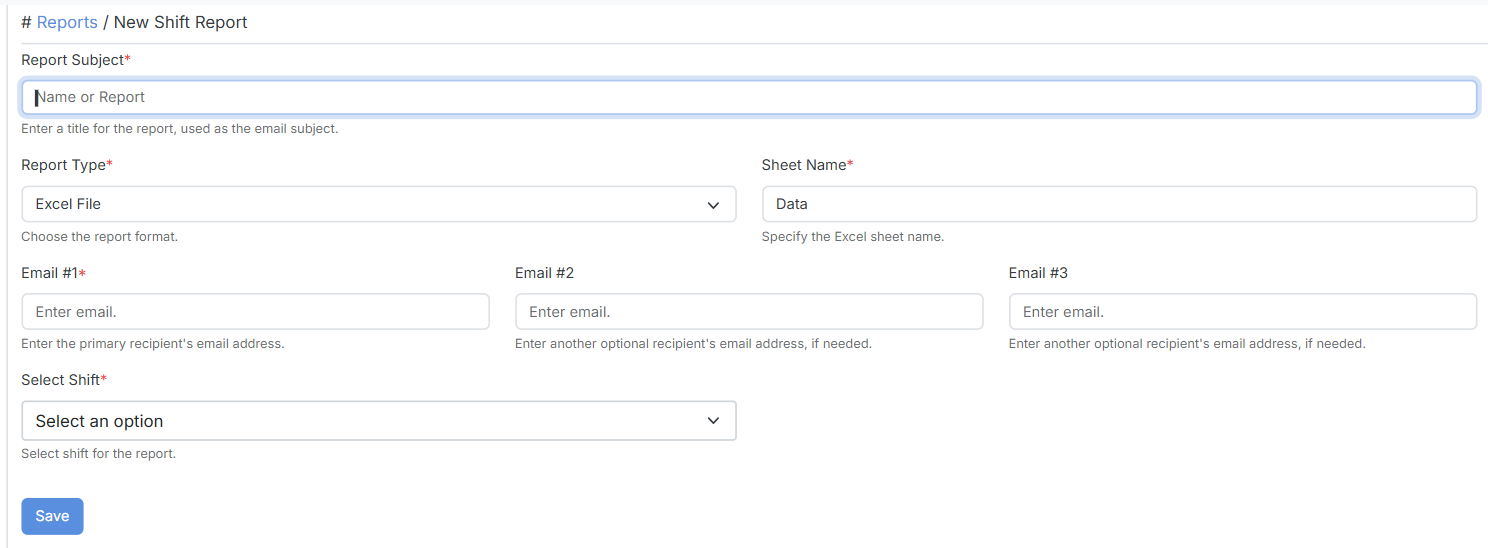
Configure a shift-based email report. StatStream determines the active shift, resolves all assets mapped to the selected shift tag, fetches their variables, and generates a consolidated report.
Configuration
Section titled “Configuration”| Field | Description |
|---|---|
| Report Subject | A title for the report, used as the email subject. |
| Report Type | The output format (e.g. Excel file). |
| Sheet Name | The Excel sheet where shift data is written. |
| Email #1 | The primary recipient’s email address. Required. |
| Email #2 / Email #3 | Optional additional recipients. |
| Select Shift | The shift for the report, chosen from the shifts configured under Shifts (e.g. Morning, Evening, Night — or whatever shifts you’ve defined). The report always uses the start and end time of the selected shift. |
- Send After Shift Ends — a time offset (in minutes) after the shift ends, determining when the report is generated and delivered.
- Round to Latest Time — Disable uses actual timestamps; Second or Minute rounds data to the selected resolution.