
Variable Monitoring
Variable Monitoring enables you to monitor the health of device variables by verifying that data continues to be received within a specified interval. If a monitored variable stops receiving data, the platform can automatically trigger a configured action or notification.
View Monitoring Status
Section titled “View Monitoring Status”To view the monitoring status for device variables:
- In the top navigation bar, select Admin.
- From the left navigation pane, select Devices.
- Select the device you want to view.
The device’s variables are displayed, along with their current Monitoring status (On or Off).
Configure Monitoring
Section titled “Configure Monitoring”To enable or modify monitoring for a variable:
- In the top navigation bar, select Admin.
- From the left navigation pane, select Devices.
- Select the required device.
- Select Monitor next to the variable you want to configure.
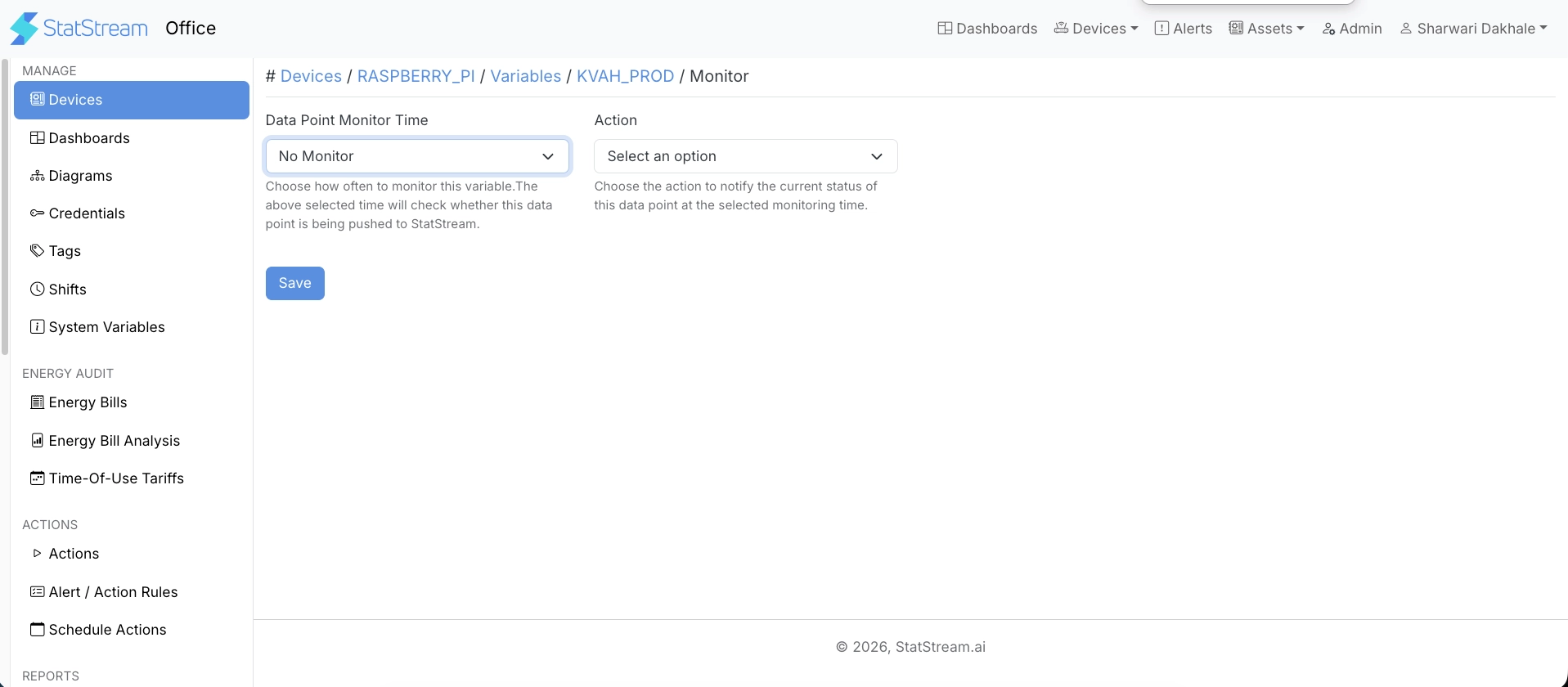
Configure the following settings:
| Field | Description |
|---|---|
| Data Point Monitor Time | Interval at which the platform checks for incoming data: No Monitor, 1 Min, 5 Min, 15 Min, 30 Min, 1 Hour, or 2 Hours. Defaults to No Monitor. |
| Action | Action triggered when data isn’t received within the configured interval. |
Select Save to apply the configuration.