
AI Recommendations
AI Recommendations are generated automatically whenever an AI Analysis runs, based on the findings in that analysis. They cannot be triggered manually — to generate new recommendations, run a new AI Analysis.
Accessing AI Recommendations
Section titled “Accessing AI Recommendations”- In the top navigation bar, select Assets.
- From the dropdown, select AI Recommendations.
The list displays all recommendations generated across your AI Analyses:
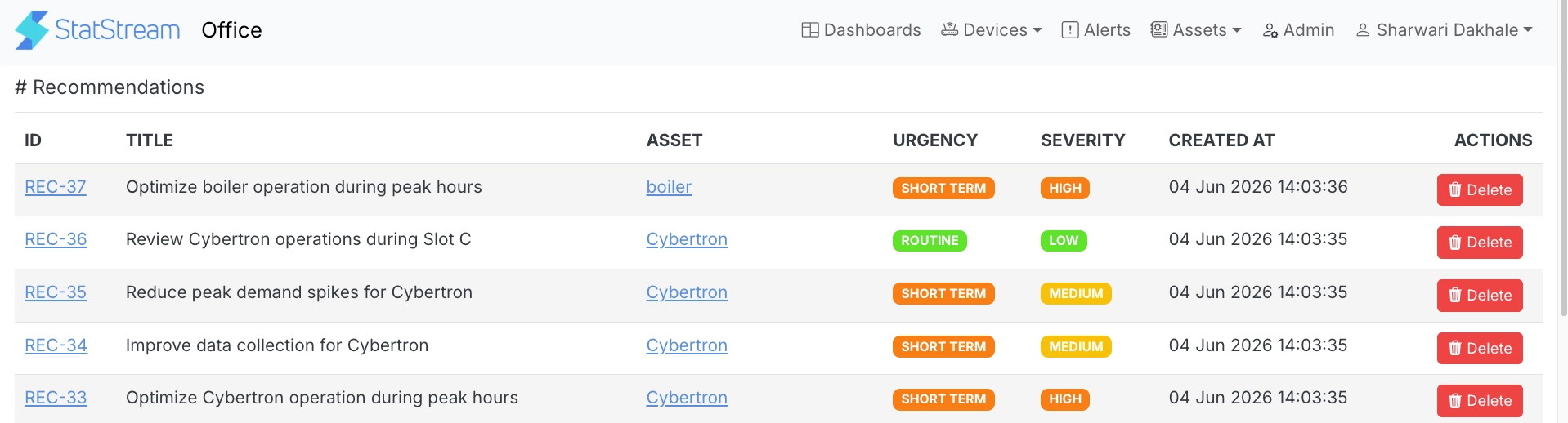
| Column | Description |
|---|---|
| ID | Unique identifier for the recommendation. |
| Title | A short description of the recommended action. |
| Asset | The asset the recommendation relates to. |
| Urgency | How soon action is recommended: Routine, Short Term, or Immediate. |
| Severity | The impact level: Low, Medium, High, or Critical. |
| Created At | The date and time the recommendation was generated. |
| Actions | Delete the recommendation. |
Select an ID to open the full recommendation.
Recommendation Detail
Section titled “Recommendation Detail”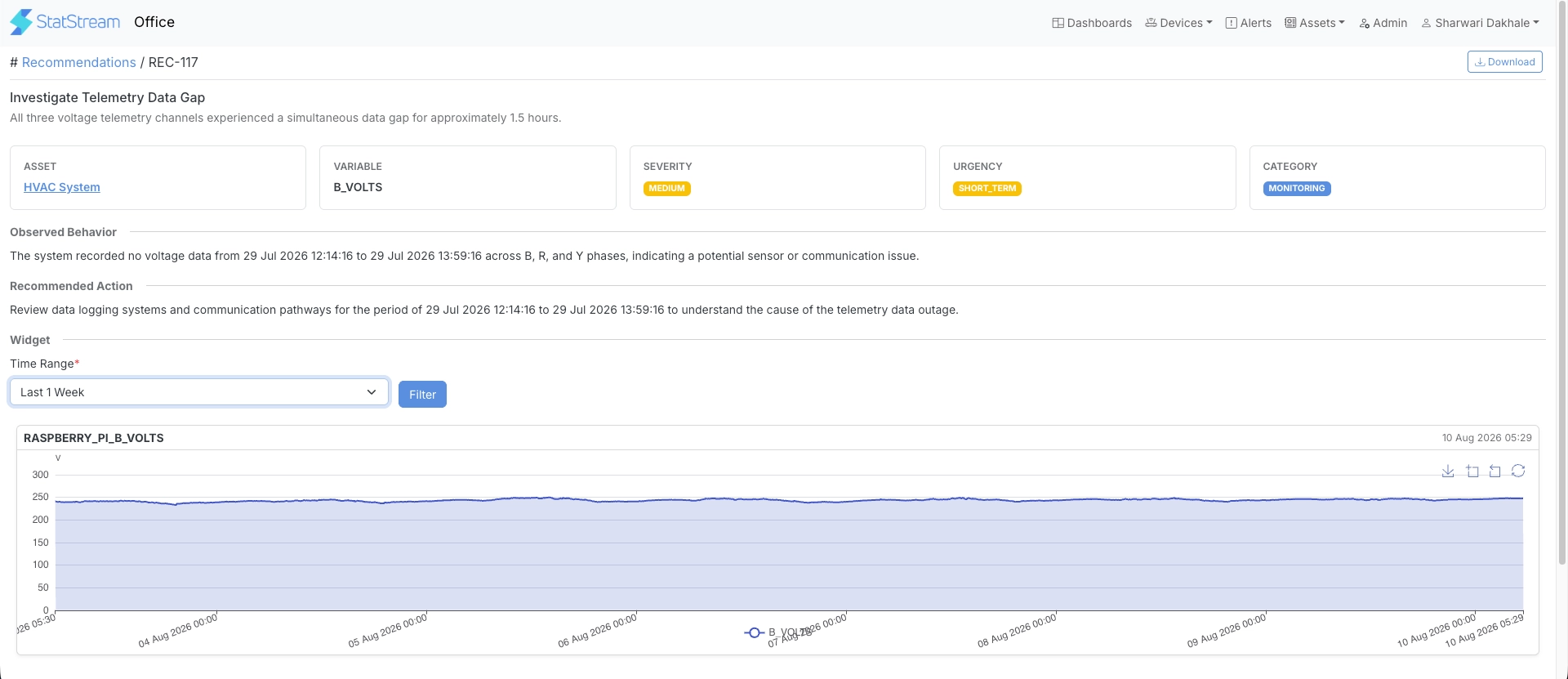
Each recommendation includes the following.
Metrics
Section titled “Metrics”| Metric | Description |
|---|---|
| Asset | The asset the recommendation relates to. |
| Variable | The device variable that triggered the recommendation, if applicable. |
| Severity | The impact level. |
| Urgency | How soon action is recommended. |
| Category | The type of issue, such as Monitoring. |
Observed Behavior
Section titled “Observed Behavior”A description of the underlying issue identified during the AI Analysis.
Recommended Action
Section titled “Recommended Action”The specific action suggested to address the issue.
Widget
Section titled “Widget”An interactive chart of the relevant variable, scoped to the recommendation’s time period. Select a Time Range and select Filter to adjust the chart.
Select Download to export the recommendation.