
AI Analyses
AI Analyses leverage artificial intelligence to evaluate historical operational and energy data, helping identify trends, anomalies, inefficiencies, and optimization opportunities. Analyses can be generated for supported features such as Assets and Time-of-Use (TOU) Tariffs, providing actionable insights to support operational monitoring, performance optimization, and energy management.
Generating an AI Analysis
Section titled “Generating an AI Analysis”AI analyses can be generated for supported modules within StatStream.
| Module | Steps |
|---|---|
| Assets | Open the required asset and click AI Analysis in the top-right corner to analyze the asset’s historical telemetry data. |
| Time-of-Use Tariffs | Open Time-of-Use Tariffs and click AI Analysis to analyze historical energy consumption based on the configured tariff schedules. |
After processing is complete, the generated analysis becomes available on the AI Analyses page.
Accessing AI Analyses
Section titled “Accessing AI Analyses”To view previously generated analyses:
- Click Assets from the top navigation bar.
- Select AI Analyses from the dropdown menu.
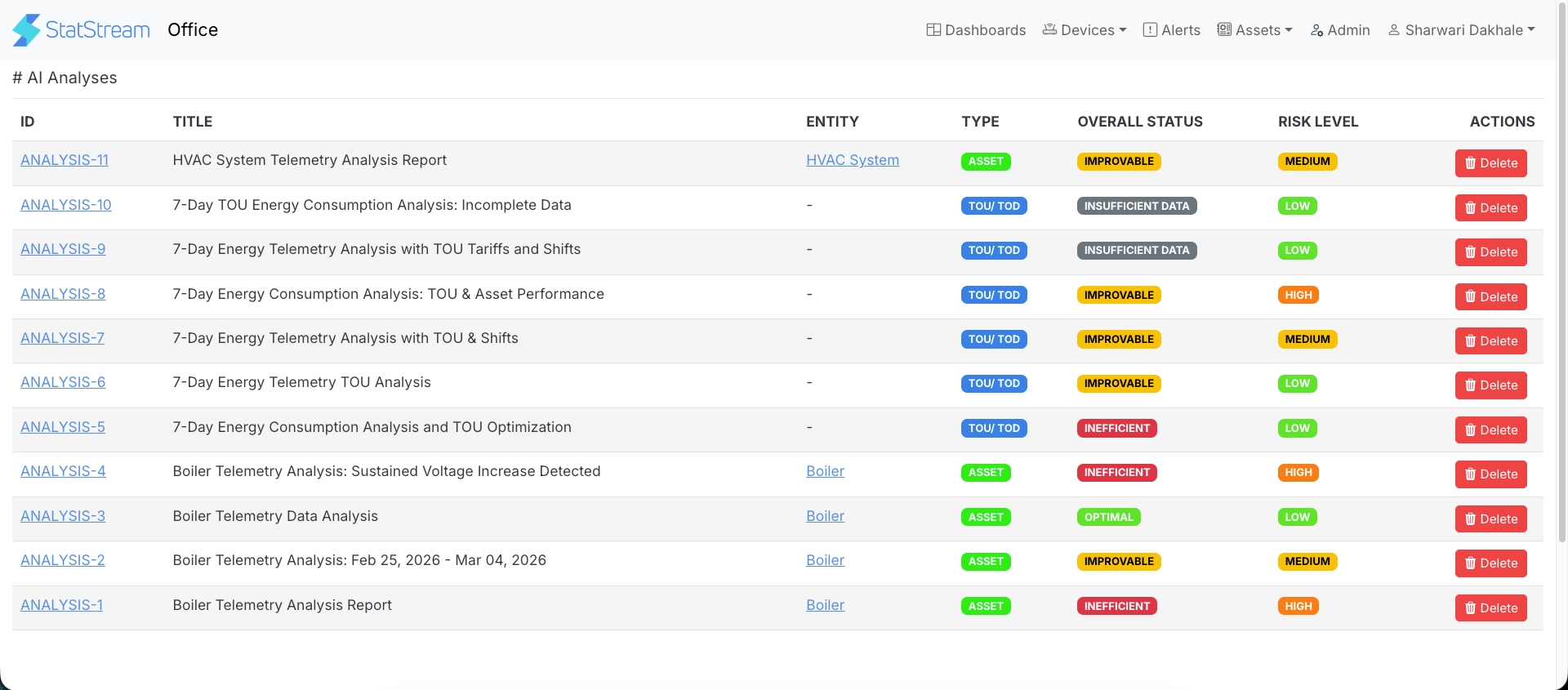
The AI Analyses page lists all analyses generated for the current workspace.
| Column | Description |
|---|---|
| ID | Unique identifier assigned to the analysis. |
| Title | Name or summary describing the analysis. |
| Entity | Asset associated with the analysis, if applicable. |
| Type | Analysis category, such as Asset or TOU/TOD. |
| Overall Status | Overall assessment generated by the AI model, such as Optimal, Improvable, Inefficient, or Insufficient Data. |
| Risk Level | Estimated operational risk classified as Low, Medium, or High. |
| Actions | Delete the analysis. |
Click an ID to open the detailed analysis report.
Analysis Report
Section titled “Analysis Report”Each AI analysis generates a structured report that presents an overall assessment followed by detailed AI insights. Depending on the analysis type (Asset or TOU/TOD), the report includes the following sections.
Overall Assessment
Section titled “Overall Assessment”The report begins with a summary of the overall evaluation.
| Metric | Description |
|---|---|
| Time Range | Historical period covered by the analysis. |
| Overall Status | Overall operational assessment of the analyzed data. |
| Health Score | Score representing the overall health of the analyzed entity. |
| Risk Level | Estimated operational risk level. |
| Stability Index | Indicates the consistency and stability of the telemetry data over the selected period. |
| Data Confidence | Confidence level based on the completeness and quality of the available data. |
Executive Summary
Section titled “Executive Summary”Provides a concise overview of the key findings, detected patterns, anomalies, and recommended areas of attention.
Asset Analysis
Section titled “Asset Analysis”Available for Asset analyses.
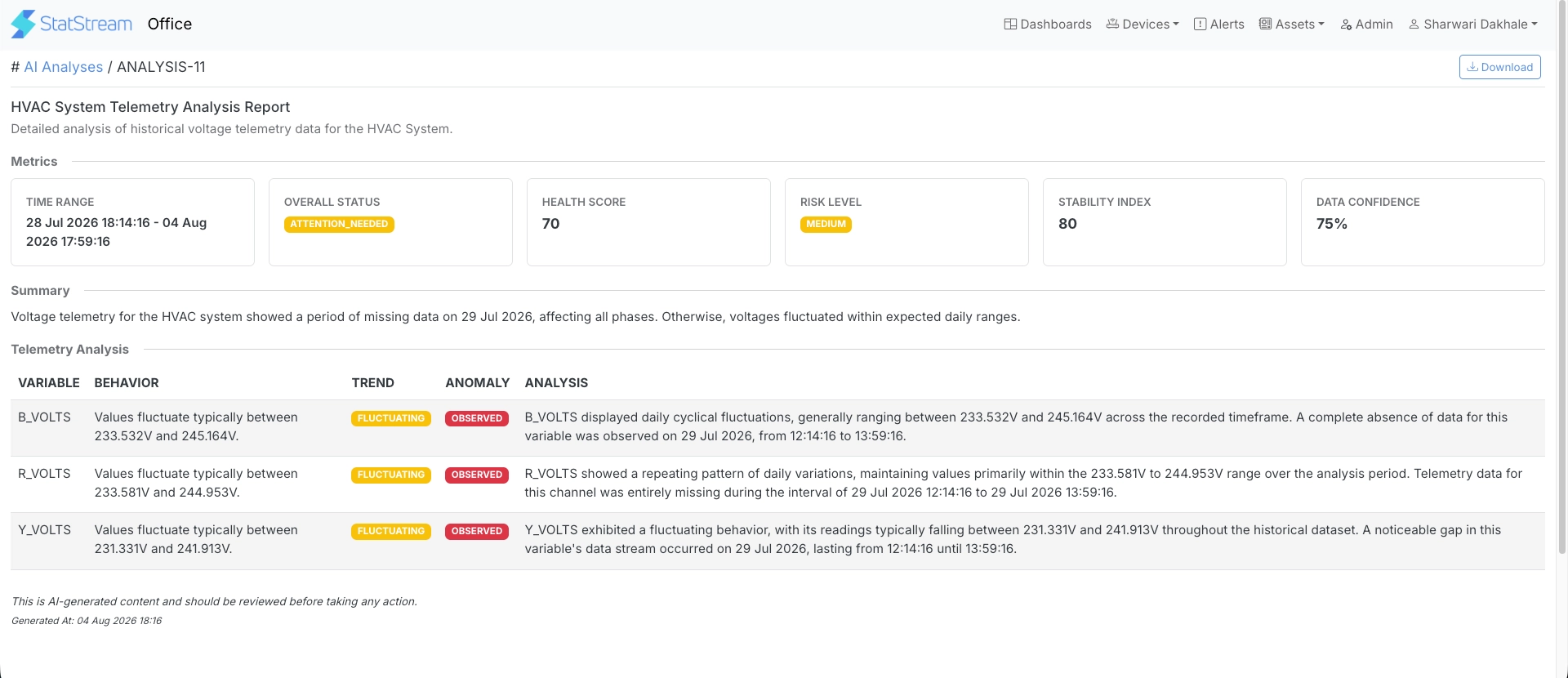
This section evaluates the historical behavior of each configured device variable.
| Column | Description |
|---|---|
| Variable | Device variable included in the analysis. |
| Behavior | Typical operating characteristics observed during the selected period. |
| Trend | Overall trend identified for the variable, such as increasing, decreasing, stable, or fluctuating. |
| Anomaly | Indicates whether abnormal behavior was detected. |
| Analysis | AI-generated explanation of the observed behavior, identified issues, and recommendations. |
Time-of-Use (TOU/TOD) Analysis
Section titled “Time-of-Use (TOU/TOD) Analysis”Available for TOU/TOD analyses.
This section evaluates historical energy consumption using the configured tariff schedules and, where applicable, shift schedules.
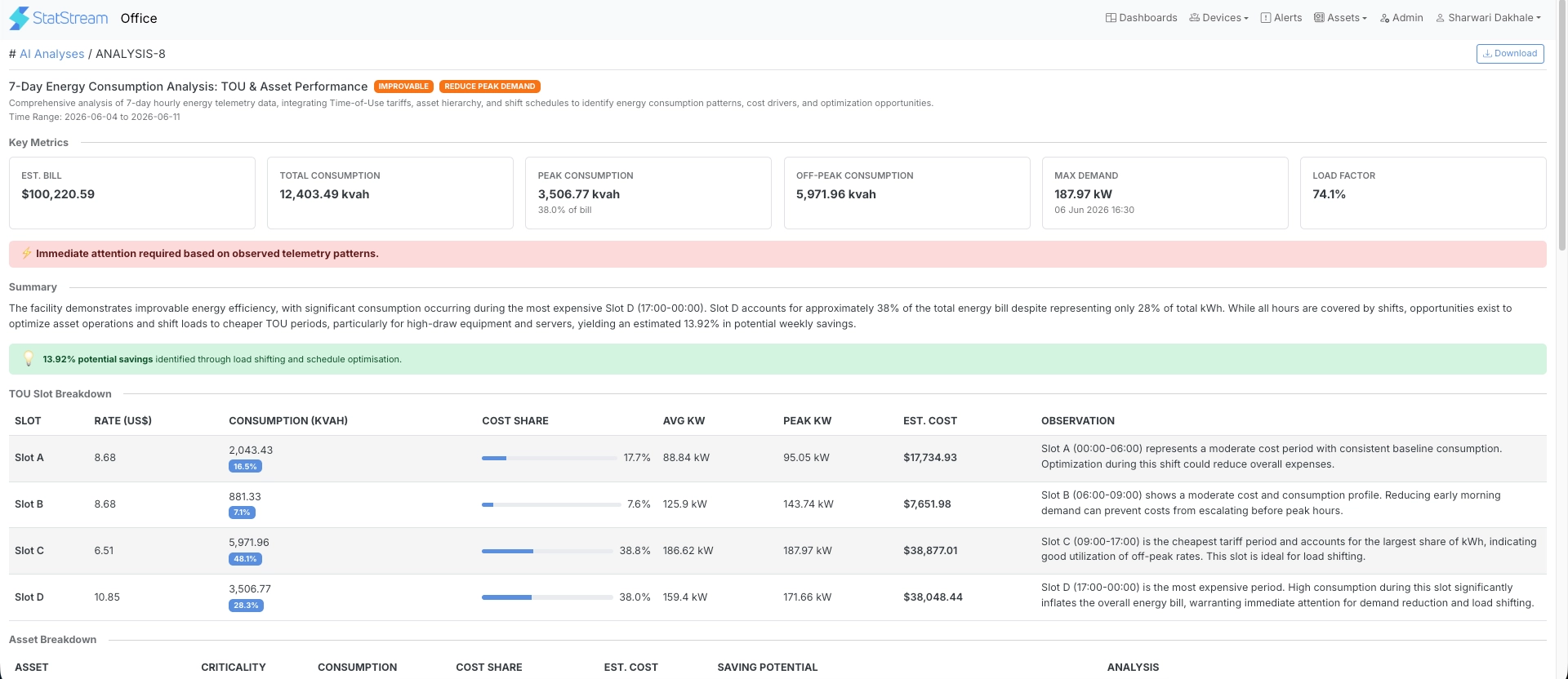
The report includes:
- Key Metrics, including estimated energy cost, total consumption, peak and off-peak consumption, maximum demand, and load factor.
- TOU Slot Breakdown, showing consumption, demand, estimated cost, cost contribution, and AI observations for each configured tariff slot.
- Asset Breakdown, presenting consumption, estimated cost, cost contribution, savings potential, and AI observations for each asset.
- Shift Analysis, correlating energy usage with configured shift schedules to identify operational patterns and optimization opportunities.
Exporting a Report
Section titled “Exporting a Report”Analysis reports can be downloaded for offline review, sharing, or record-keeping.