
Overview
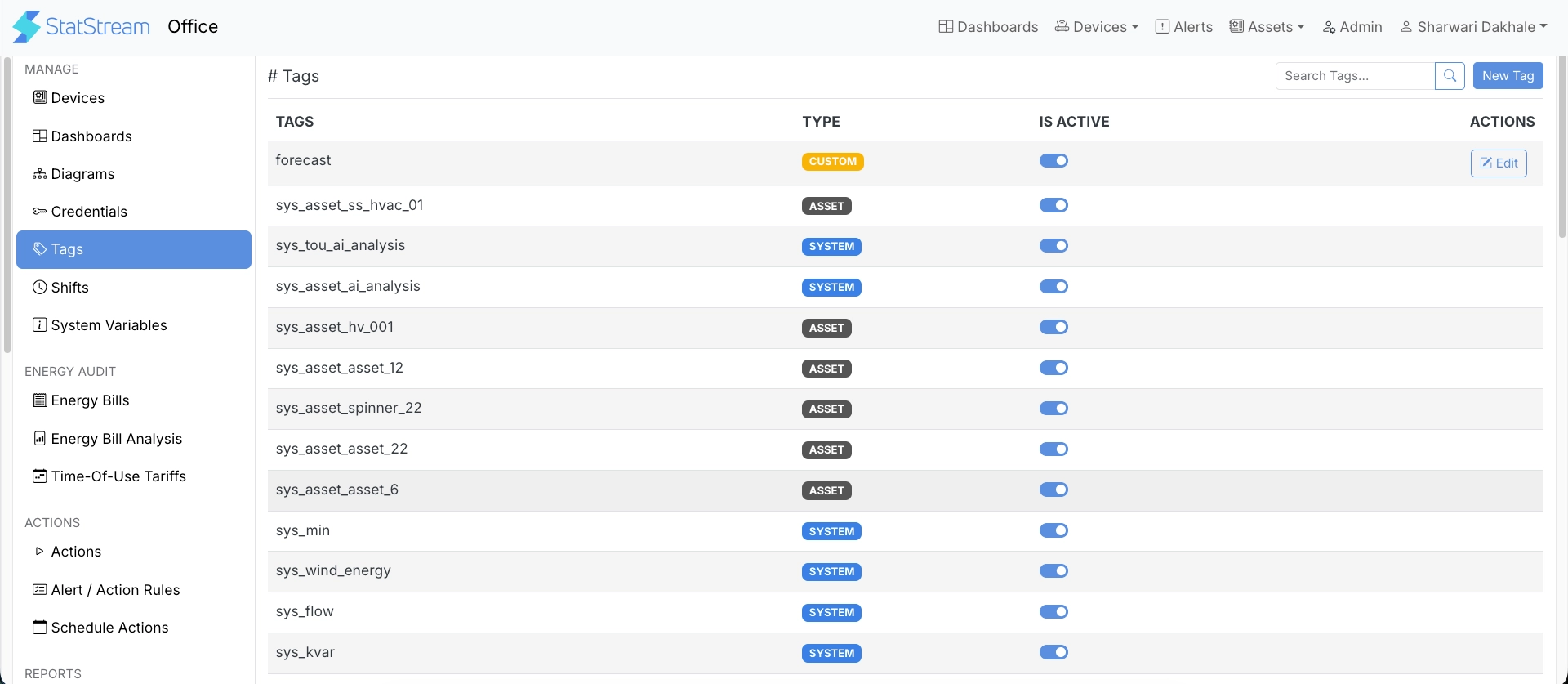
Tags are used throughout StatStream to associate resources and enable feature-specific functionality. Depending on the feature, tags may be created automatically by the system or manually by users.
Once a tag is available, it can be assigned to supported resources such as variables, devices, actions, and assets. StatStream then uses these tag associations wherever they are required, eliminating the need for repeated configuration.
Tag Types
Section titled “Tag Types”StatStream supports the following tag types:
| Type | Description |
|---|---|
| Custom | User-defined tags created to organize and group resources based on specific requirements. |
| Shift | Automatically created when a shift is created and used for shift-related features and calculations. |
| Variable | Used to classify variables for feature-specific functionality across the platform. |
| Aggregation | Used by aggregation features to identify variables and calculations required for data aggregation. |
| System | Predefined tags created by StatStream for built-in platform features. |
| Asset | Automatically created when an asset is created and used to associate resources with that asset. |
Creating a Tag
Section titled “Creating a Tag”Only Custom tags are created manually — Shift, Asset, and System tags are generated automatically by StatStream when their related resource is created.
- From the top bar, click Admin.
- Click Tags in the sidebar.
- Click New Tag.
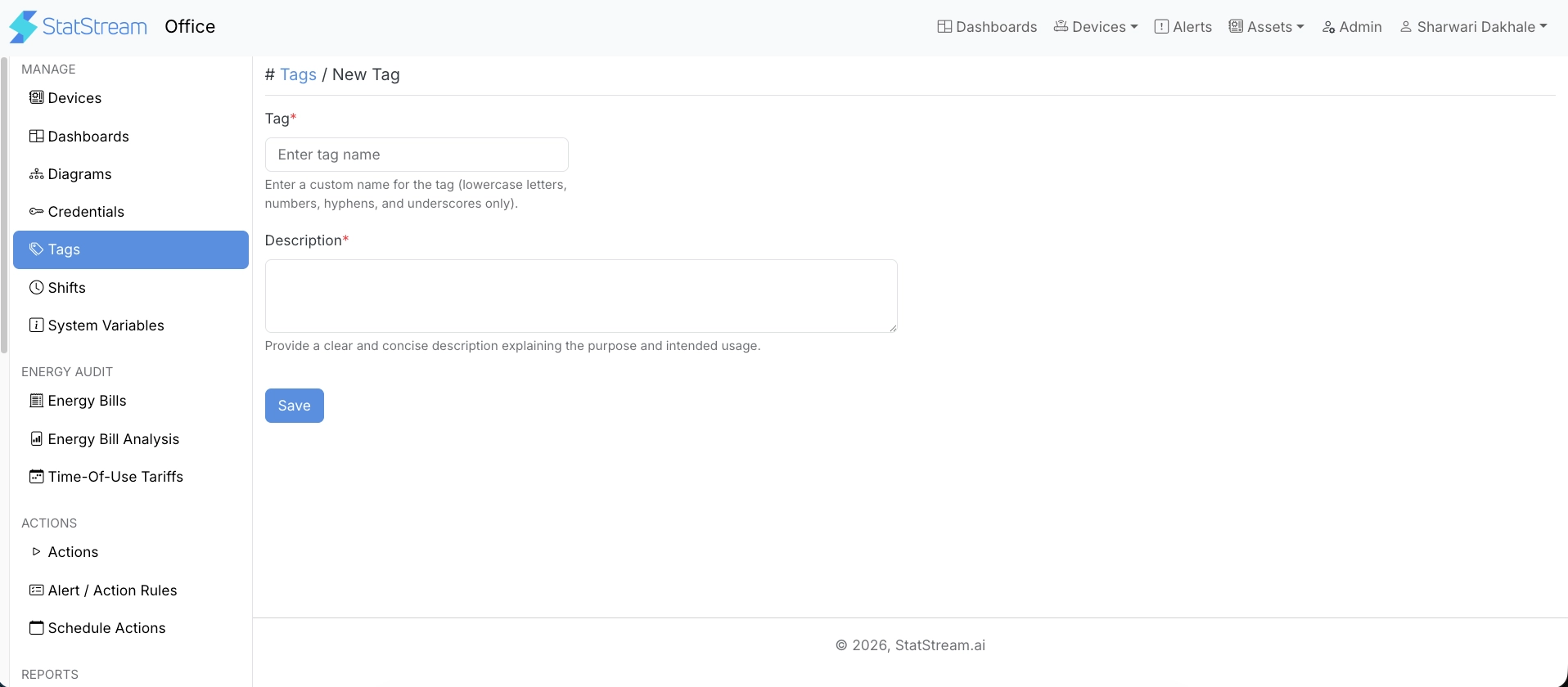
Then fill in:
| Field | Description |
|---|---|
| Tag | A custom name for the tag. Lowercase letters, numbers, hyphens, and underscores only. |
| Description | A clear, concise description explaining the purpose and intended usage of the tag. |
How Tags Work
Section titled “How Tags Work”The general workflow is as follows:
- A tag is created automatically by StatStream or manually by a user.
- The tag is assigned to one or more supported resources, such as variables, devices, actions, or assets.
- Features that rely on that tag automatically identify and use the associated resources.
Where Tags Are Used
Section titled “Where Tags Are Used”Tags are used across multiple StatStream features, including:
- Assets
- Devices
- Actions
- Shifts
- AI Analysis
The exact behavior depends on the feature using the tag. For example:
- Asset tags associate variables with an asset.
- Shift tags identify variables used for shift-based calculations.
- System tags are used by built-in platform features.
- Custom tags can be used wherever user-defined grouping is supported.
Benefits
Section titled “Benefits”- Centralized resource association across the platform.
- Reduced repetitive configuration.
- Consistent behavior across related features.
- Simplified management of variables and other tagged resources.
- Easily extensible as additional features adopt tag-based associations.