
Manage Teams
Teams allow you to organize users within a workspace and assign access to resources based on team membership. As team-based features are configured, users can only access resources that are assigned to their team.
Accessing Teams
Section titled “Accessing Teams”
To create, view, or manage teams within a workspace:
- Click Admin in the top navigation bar.
- Select Teams from the left sidebar.
Creating a Team
Section titled “Creating a Team”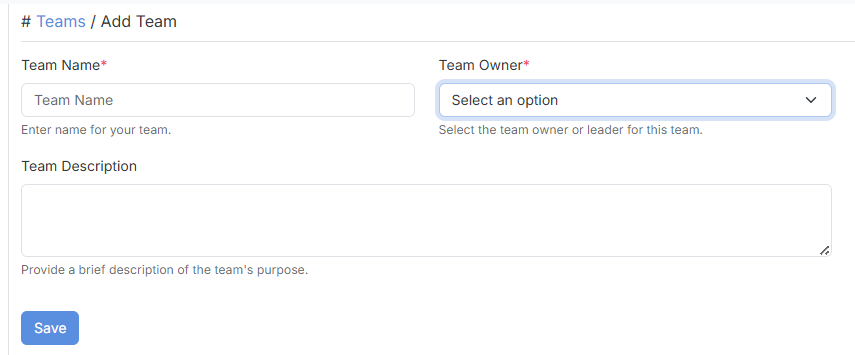
Teams help organize users who require the same level of access to workspace resources.
Click Add Team, then provide the following information:
| Field | Description |
|---|---|
| Team Name | Name of the team. |
| Team Owner | User responsible for managing the team. |
| Team Description | Optional description of the team’s purpose. |
After saving the team, you can begin adding members to it.
Adding Team Members
Section titled “Adding Team Members”Add users to a team to grant them access to resources assigned to that team.
Open the required team and click Add Team Member.
| Field | Description |
|---|---|
| Select Team Members | Users to be added to the team. |