
Schedule Actions
Schedule Actions allow you to execute an existing StatStream Action automatically at a predefined time. Unlike Alert / Action Rules, which run when a condition is met, Schedule Actions run according to a fixed schedule such as Daily, Weekly, Monthly, or Yearly.
The Schedule Actions List
Section titled “The Schedule Actions List”The Schedule Actions page (Alerts & Actions → Schedule Actions) displays all configured schedules in your workspace.
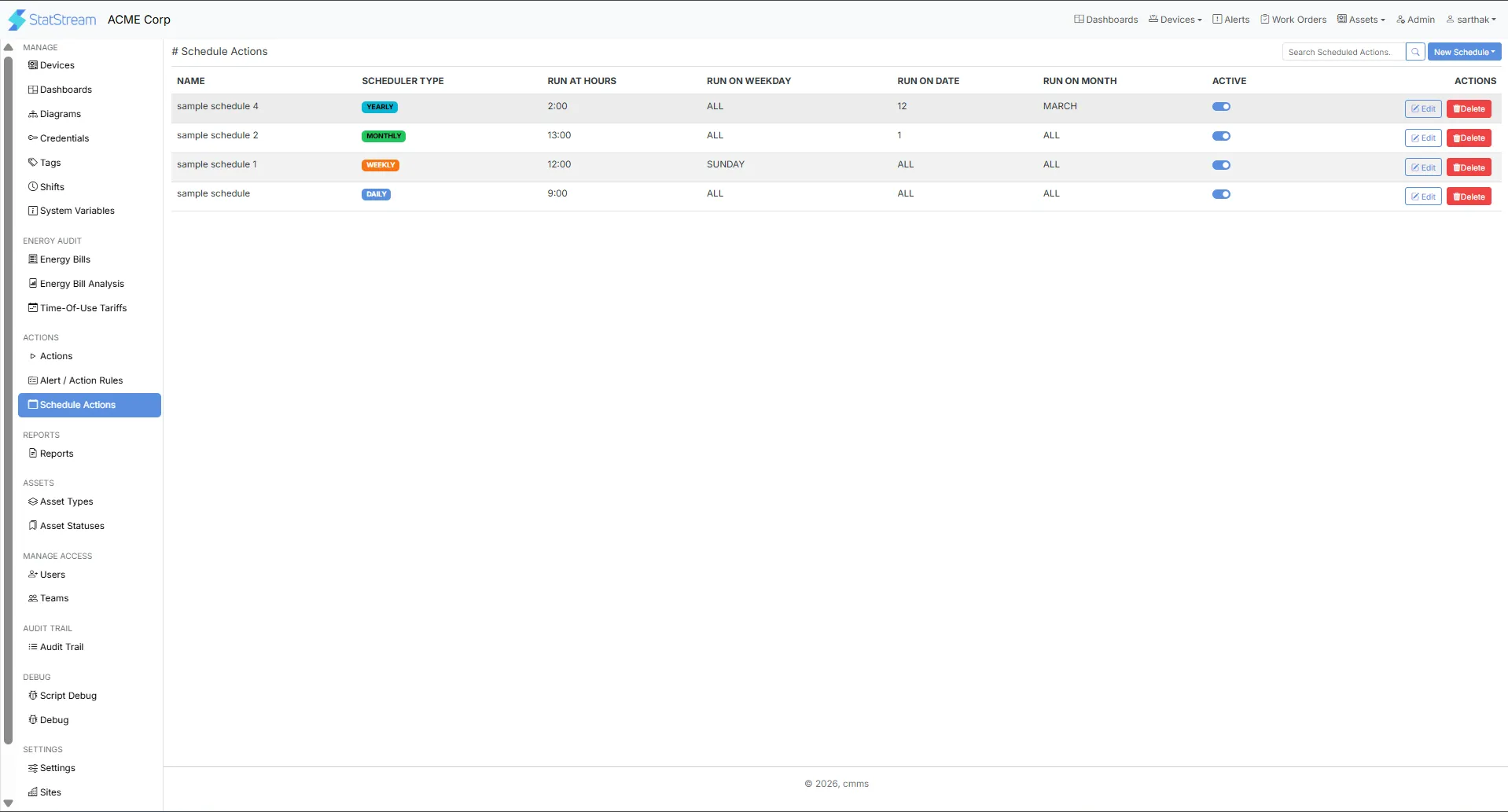
| Column | Description |
|---|---|
| Name | The name of the scheduled action. |
| Scheduler Type | The schedule frequency (Daily, Weekly, Monthly, or Yearly). |
| Run At Hours | The hour when the action will execute (24-hour format). |
| Run On Weekday | The weekday on which the action runs (if applicable). |
| Run On Date | The day of the month on which the action runs (if applicable). |
| Run On Month | The month in which the action runs (for yearly schedules). |
| Active | Toggle to enable or disable the schedule without deleting it. |
Use the Search Scheduled Actions… box to quickly locate a schedule by name, or click New Schedule (top-right) to create one. Each schedule also provides Edit and Delete options.
Creating a Schedule Action
Section titled “Creating a Schedule Action”- Open Alerts & Actions → Schedule Actions.
- Click New Schedule and choose the required schedule type (Daily, Weekly, Monthly, or Yearly).
- Enter a Name for the schedule.
- Optionally provide a Description explaining its purpose.
- Specify the execution time using the 24-hour format.
- Select the Action that should run automatically.
- Click Save to activate the schedule.
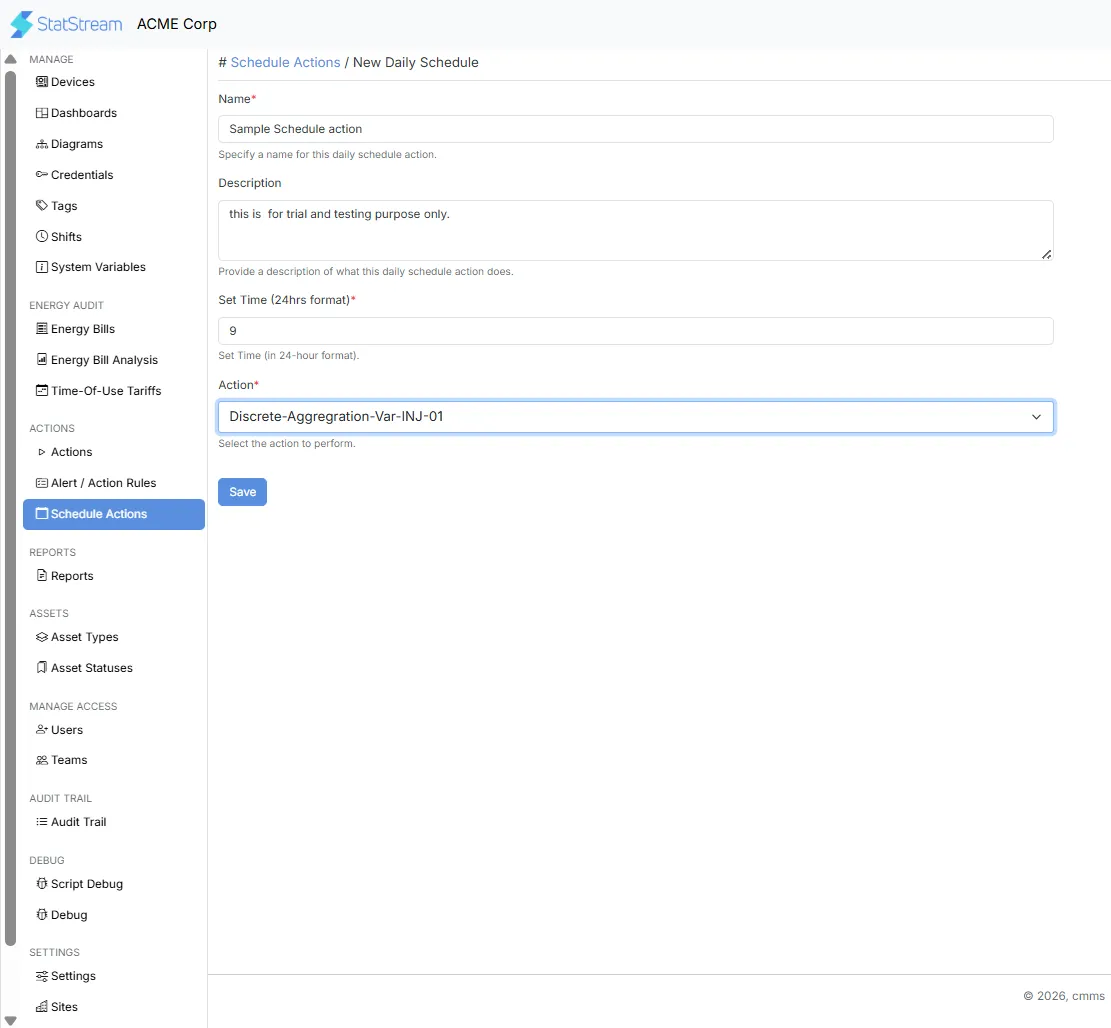
Configuration
Section titled “Configuration”| Field | Description |
|---|---|
| Name | A unique name for the scheduled action. |
| Description | Optional information describing what the schedule does. |
| Set Time (24hrs format) | The hour when the selected action will execute. |
| Action | The existing StatStream Action that will run according to the schedule. |
- Schedule Actions can execute any StatStream Action, regardless of its Action Type.
- The selected Action runs automatically at the configured schedule without requiring any alert or manual intervention.
- If a schedule is disabled using the Active toggle, it remains saved and can be re-enabled at any time.
Typical Use Cases
Section titled “Typical Use Cases”Schedule Actions are commonly used to:
- Run daily aggregation jobs at a fixed time.
- Generate reports automatically every morning.
- Execute integrations with external systems on a schedule.
- Update asset information periodically.
- Trigger AI or forecasting workflows at regular intervals.