
Device History & Data Export
Access time-stamped records of values received for a device’s variables, export the data as a CSV file, and use the historical data to monitor device performance, analyze trends, and identify anomalies.
Accessing Device History
Section titled “Accessing Device History”- Click Devices in the top navigation bar.
- From the dropdown, select Devices. This opens the View Devices list.
- Select the device you want to view.
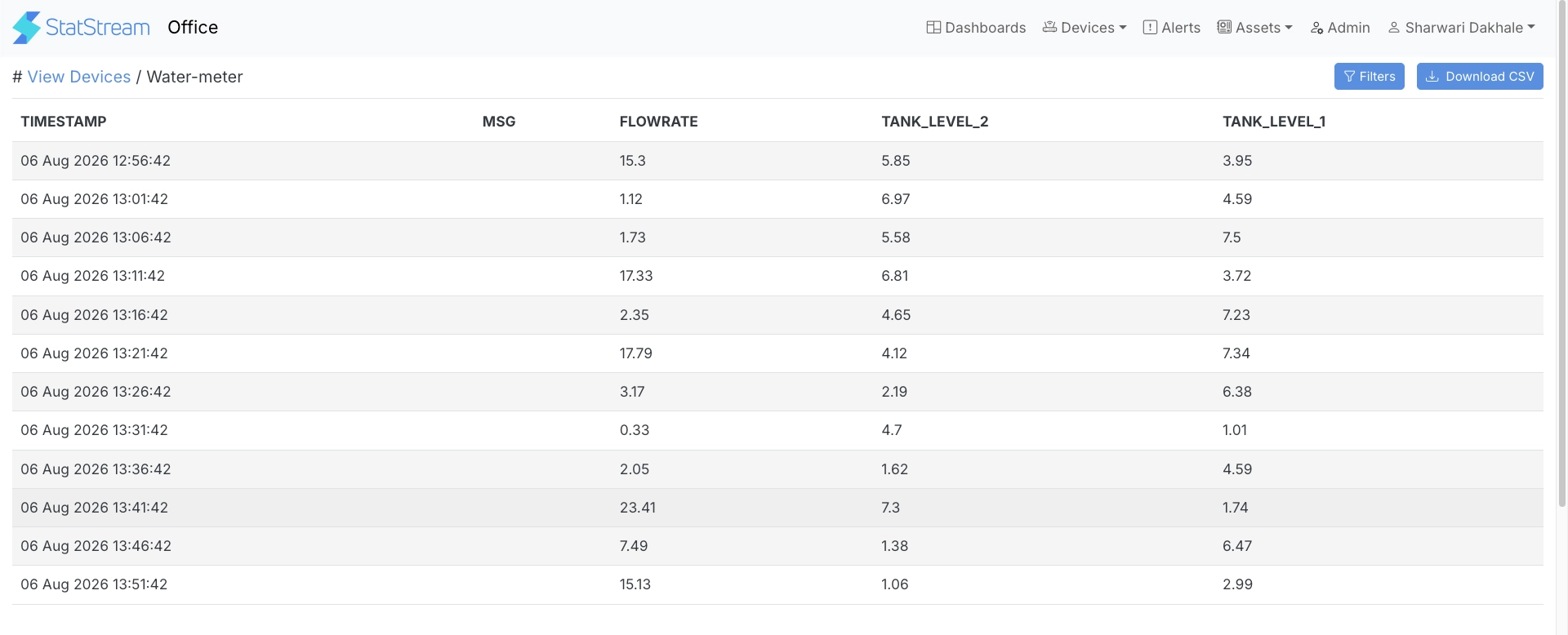
This opens the device’s History page, which displays a Timestamp column along with separate columns for each variable configured for the device.
Filtering the Data
Section titled “Filtering the Data”Click Filters to open the filter panel:
| Filter | Description |
|---|---|
| Variables | Choose which variables to include as columns in the table. |
| Time Range | Select a predefined range from Last 1 Hour up to Last 1 Week, or select a specific month for CSV export only. |
Select Reset to clear all applied filters.
Exporting Data
Section titled “Exporting Data”Click Download CSV to export the currently filtered data — based on the selected variables and time range — as a CSV file.