
Energy Bills
Energy Bills allow you to upload and manage your organization’s monthly electricity bills. These bills serve as the primary data source for energy audit and analysis, helping StatStream generate insights based on historical energy consumption.
Access
Section titled “Access”To access Energy Bills:
- Click Admin in the top navigation bar.
- Under Energy Audit, select Energy Bills.
Industry Information
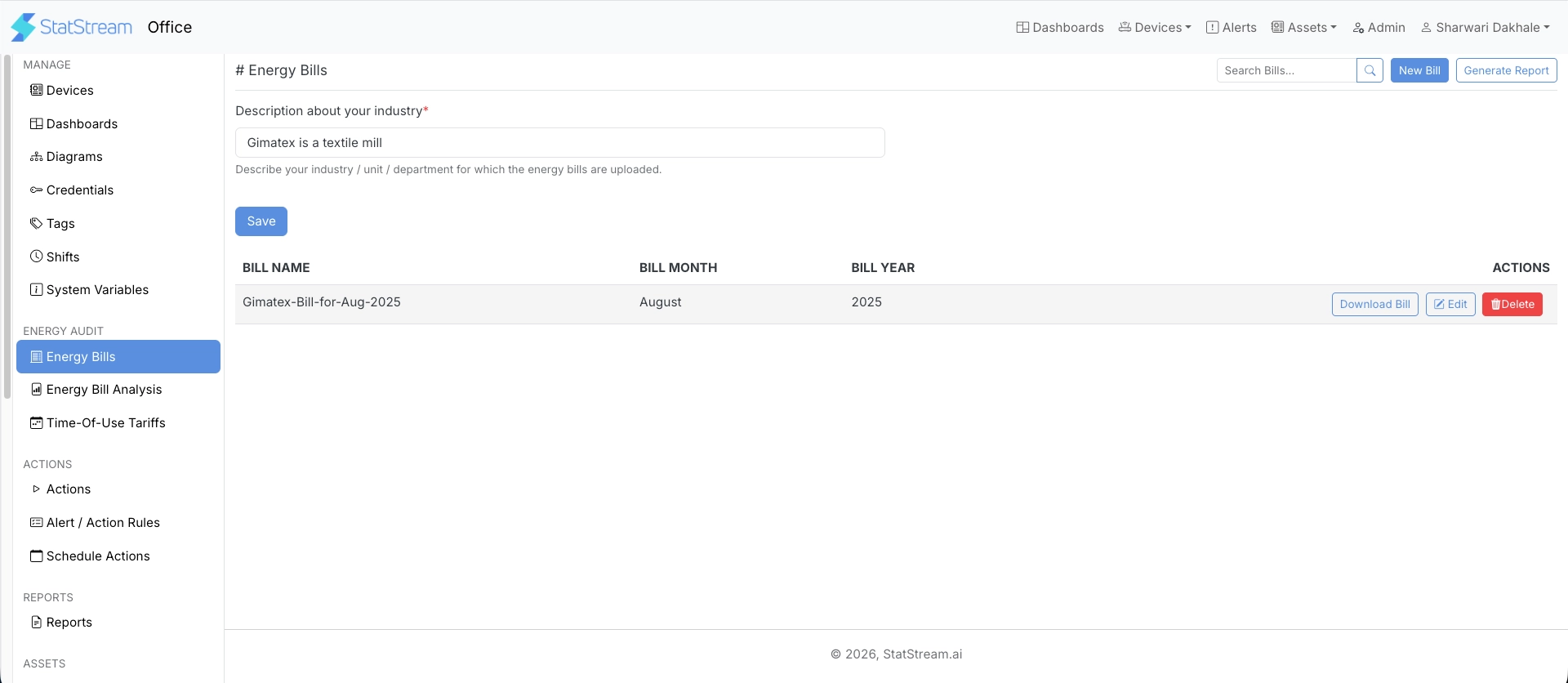
Section titled “Industry Information”Before uploading bills, provide a brief description of your organization, industry, facility, or department.
| Field | Description |
|---|---|
| Description about your industry | Brief description of the industry, facility, department, or unit for which the bills are uploaded. |
Click Save after updating the information.
Uploading Bills
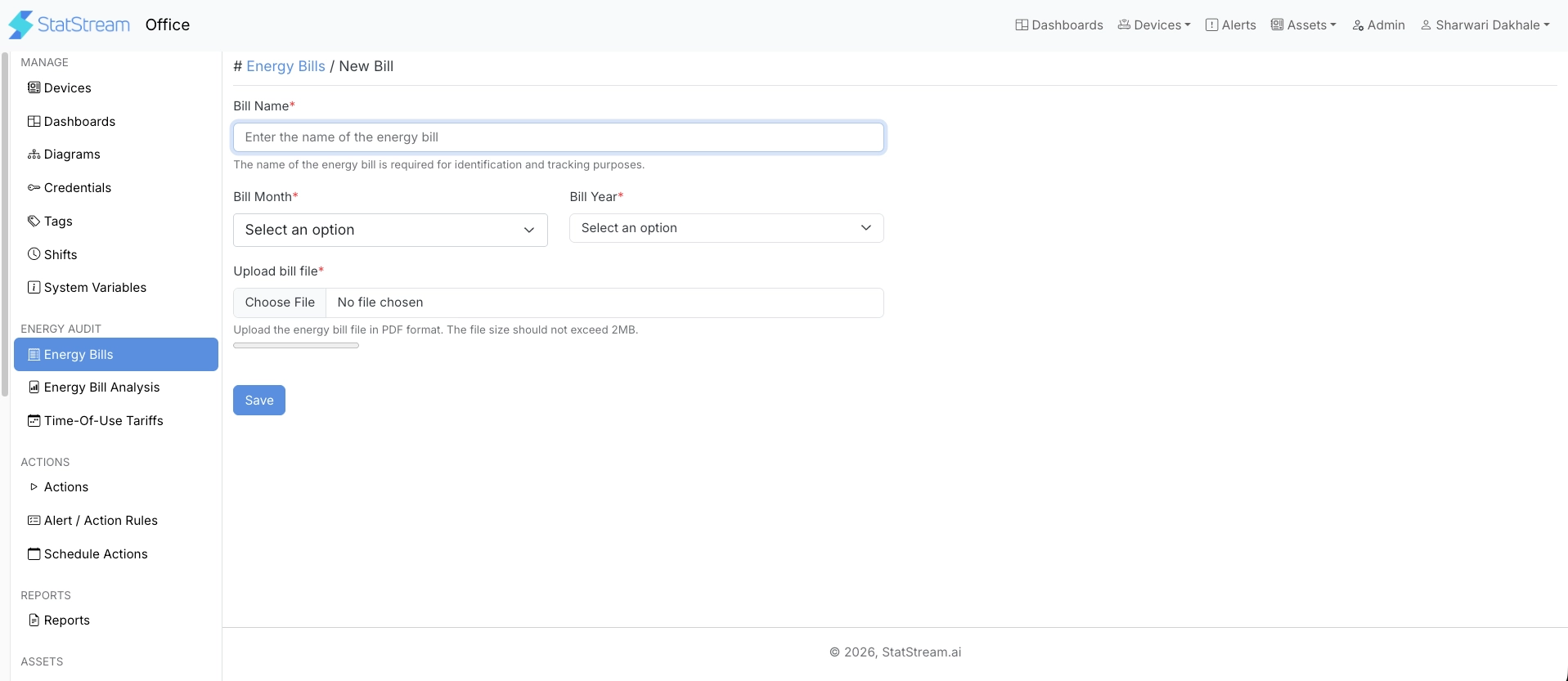
Section titled “Uploading Bills”Click New Bill and provide the following information:
| Field | Description |
|---|---|
| Bill Name | Name used to identify the bill. |
| Bill Month | Billing month. |
| Bill Year | Billing year. |
| Upload Bill File | Upload the bill in PDF format. The file size must not exceed 2 MB. |
After completing the required fields, click Save.
Downloading Bills
Section titled “Downloading Bills”Previously uploaded bills can be downloaded at any time for verification, record keeping, or future reference.
Generating Reports
Section titled “Generating Reports”Click Generate Report to create an energy audit report from the uploaded bills.
StatStream analyzes the last six months of uploaded bills and processes the report in the background. Once generation is complete, the report can be viewed in the Energy Bill Analysis section.