
Basic Widgets
Basic widgets are commonly used to display text, timestamps, and key operational metrics. They provide simple yet effective visual elements for organizing dashboards and highlighting important information.
Static
The Label widget displays static text on a dashboard. It is commonly used to organize dashboard sections, add headings, or provide contextual information for users.
This widget does not include any configuration options beyond the common widget properties.

Typical uses
- Dashboard section headings
- Equipment or area names
- Instructions and notes
- Informational text
Live
The Clock widget displays the current date and time. The displayed time automatically follows the local time zone of the user’s browser.
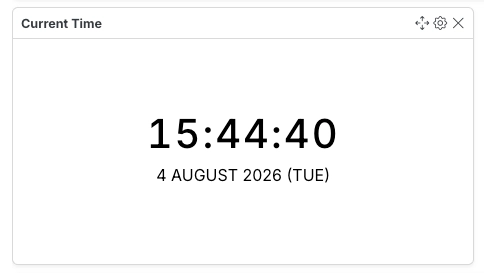
Configuration
Section titled “Configuration”| Field | Description |
|---|---|
| Color | Specifies the color of the displayed date and time. |
Value Card Widget
Section titled “Value Card Widget”The Value Card Widget displays the current value of a selected variable, making it ideal for monitoring key operational or energy metrics such as energy consumption, voltage, current, temperature, or pressure.
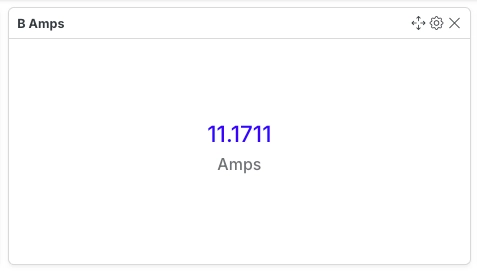
Configuration
Section titled “Configuration”| Field | Description |
|---|---|
| Variable ID | Selects the variable whose value is displayed by the widget. |
Dynamic Value Color
Section titled “Dynamic Value Color”The displayed value can automatically change color based on user-defined conditions, making abnormal or critical values easier to identify.
You can configure up to five color rules.
| Field | Description |
|---|---|
| Condition | Comparison operator used to evaluate the variable (for example, greater than or less than). |
| Value to Compare | Threshold against which the variable value is compared. |
| Color | Color applied when the specified condition is satisfied. |
Small Value Card Widget
Section titled “Small Value Card Widget”The Small Value Card Widget provides the same functionality as the Value Card Widget in a more compact layout, making it suitable for dashboards that need to display multiple key metrics within limited space.
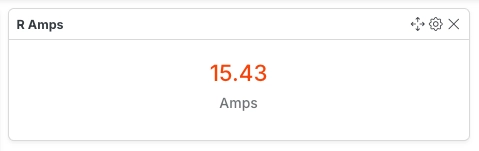
Configuration
Section titled “Configuration”| Field | Description |
|---|---|
| Variable ID | Selects the variable whose value is displayed by the widget. |
The Small Value Card Widget also supports Dynamic Value Color, allowing values to change color based on configured threshold conditions.